THE DIFFERENCES THAT MATTER
Yamaha RX-V4A vs Denon AVR-S970H: five or seven amplifier channels?
Choose a receiver from the physical speaker layout, HDMI sources, room setup and complete installation.
Researched from manufacturer sources. These products have not been hands-on tested for this article.
START HERE
Does the room need a five-speaker surround system, or a seven-channel amplifier for a defined surround or height layout?
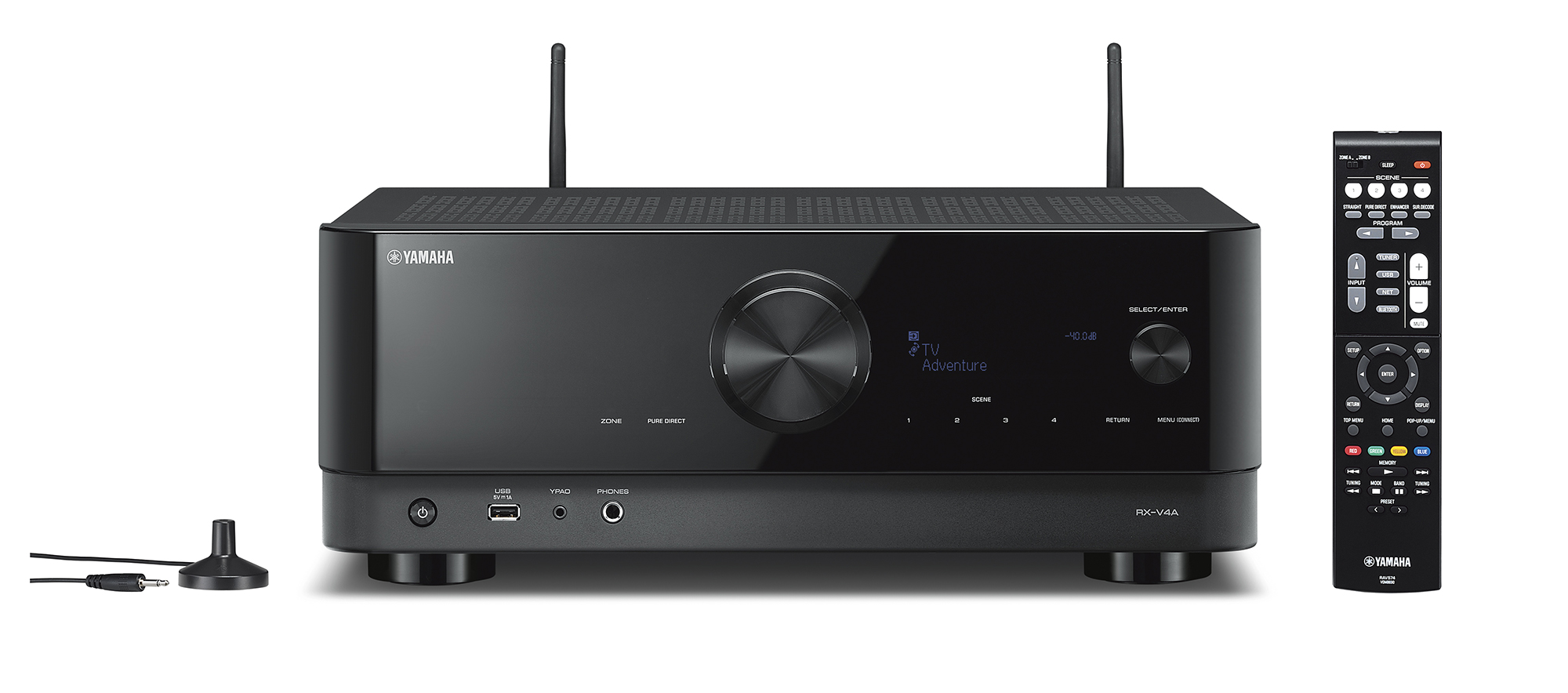
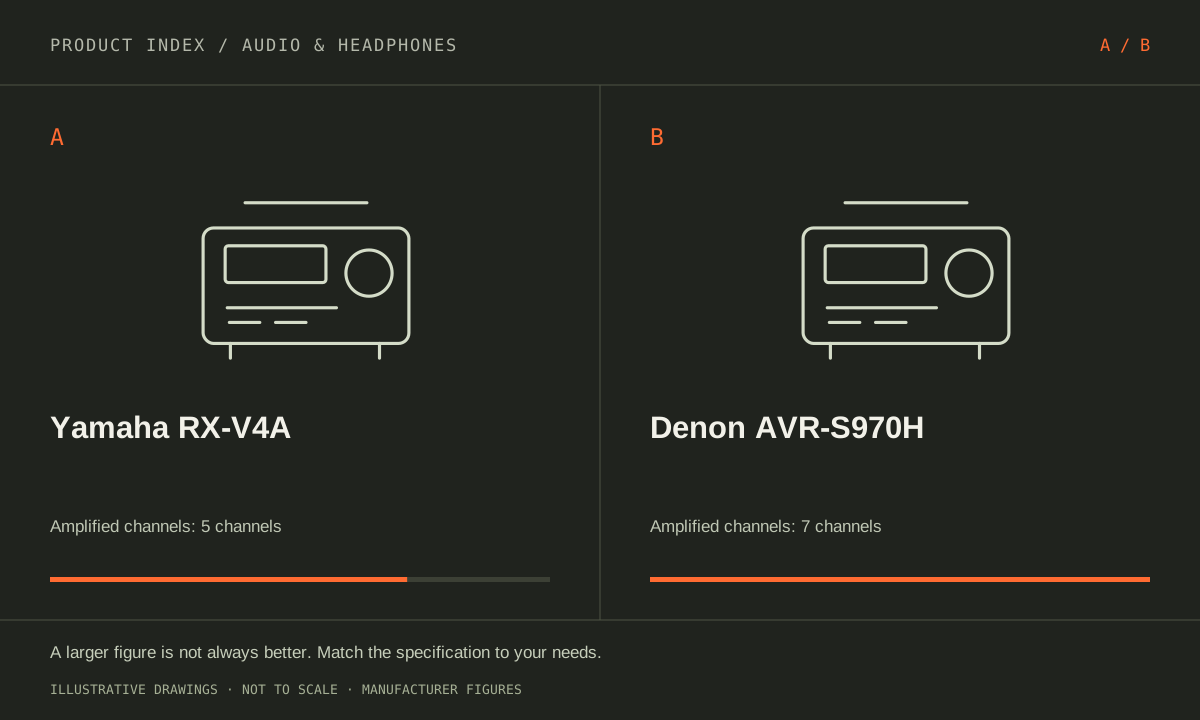
Yamaha RX-V4A is a five-channel receiver supporting a 5.2 arrangement. Denon AVR-S970H has seven amplified channels that can support 7.2 or 5.2.2. Those numbers describe different speaker plans, not a quality hierarchy. Draw the speakers and HDMI sources you intend to install first. A receiver with more channels is useful when the room, wiring and content will actually use them.
Yamaha RX-V4A (US)
A good fit if: A shortlist option for a defined five-speaker surround layout and four HDMI sources.
The tradeoff: It cannot turn a five-channel amplifier into a 5.2.2 height-speaker system; check current firmware and HDMI format conditions.
Denon AVR-S970H (US)
A good fit if: A shortlist option for two height channels, seven floor-level channels or more HDMI source connections.
The tradeoff: Seven amplified channels support 5.2.2 or 7.2, not a simultaneous 7.2.2 layout.
As an Amazon Associate I earn from qualifying purchases. How shopping links work.
Yamaha RX-V4A
View this model on Amazon : Yamaha RX-V4A (US) (opens in a new tab)Check the seller, exact variant, price and included accessories.Denon AVR-S970H
View this model on Amazon : Denon AVR-S970H (US) (opens in a new tab)Check the seller, exact variant, price and included accessories.See the product photos and comparison illustration
The facts, side by side.
Manufacturer specifications for the named models. On small screens, scroll the table sideways. A blank research field means the fact was not included here, not that the manufacturer does not publish it. Conditions and differently scoped specifications are kept separate.
| What matters | Yamaha RX-V4A [1] | Denon AVR-S970H [2] |
|---|---|---|
| Amplified channels | 5; supports 5.2 speaker layout | 7; supports 7.2 or 5.2.2 speaker layout |
| HDMI connections | 4 inputs; 1 output with eARC | 6 inputs (3 support 8K/4K120); 2 outputs, one eARC |
| Immersive formats | No Dolby Atmos or DTS:X decoding | Dolby Atmos and DTS:X |
| Room setup | YPAO calibration | Audyssey MultEQ calibration |
| Network music | MusicCast, Wi-Fi, AirPlay 2 and Bluetooth | HEOS, Wi-Fi, AirPlay 2 and Bluetooth |
| Listed width | 17-1/8 in; allow ventilation clearance | 17.1 in; allow ventilation clearance |
Listed maximums are manufacturer claims under their stated conditions, not results from our own testing. Regional versions and bundles can differ. No live prices or stock claims are shown.
Translate the channel label into actual speaker positions
In a 5.2 layout, five main speakers surround the listening position and the receiver provides connections for up to two powered subwoofers. Denon’s seven amplifier channels can instead support seven main speakers, or five main speakers plus two height channels in a 5.2.2 arrangement. Seven amplified channels cannot simultaneously power 7.2.2. Decide whether the extra pair belongs behind the seats or in the supported height arrangement before choosing equipment.
RX-V4A does not decode Dolby Atmos or DTS:X. AVR-S970H supports both, but a format logo does not create speakers, wiring or suitable placement. If the room cannot accommodate the intended height or surround positions, the advertised layout may remain unused. Consider seating, doorways, rental restrictions and the required speaker cables. A tidy five-channel installation that fits the room can meet a different requirement from a seven-channel system planned around specific immersive content.
Manufacturer references: Yamaha RX-V4A · Denon AVR-S970H
Assign each source to an appropriate HDMI connection
Yamaha supplies four HDMI inputs and one output; Denon supplies six inputs and two outputs. Three of Denon’s inputs support its advertised 8K/4K120 signal modes. List the console, disc player, streaming device and any computer, then match each signal format to a documented port. Check the TV’s eARC connection and the receiver’s required HDMI-format setting, firmware and cable requirements. The number of sockets alone does not establish that every input accepts every maximum format.
Denon’s second HDMI output may be useful in a supported two-display arrangement, but verify simultaneous-output restrictions in the manual for the intended displays. For either receiver, confirm whether the TV or receiver will switch the sources and how audio returns from television apps. Draw the signal path before buying cables. An HDMI feature that only works in one supported configuration cannot be assumed to work through every switch, adapter or older display in the existing system.
Manufacturer references: Yamaha RX-V4A · Denon AVR-S970H
Finish with speakers, setup and cabinet clearance
Yamaha uses YPAO setup and MusicCast network playback. Denon uses Audyssey MultEQ and HEOS. If other network speakers are already installed, verify the exact grouping task rather than assuming the brands can be mixed into the same synchronized system. Room calibration is a setup tool, not a guarantee of a particular acoustic result. Correct speaker placement, level checks and the room itself remain part of the installation. Keep the calibration microphone and follow the documented measurement process.
Do not compare bare amplifier watt figures measured at different impedances or distortion conditions as a direct loudness ranking. Check the actual speakers’ compatibility, the receiver’s operating instructions and ventilation space. Both cabinets are roughly seventeen inches wide, with additional clearance needed for cables, antennas and cooling. Favor RX-V4A when the five-channel layout, inputs and MusicCast routine cover the plan. Favor AVR-S970H when its seven-channel layout options or extra HDMI connections are required and can be installed usefully.
Manufacturer references: Yamaha RX-V4A · Denon AVR-S970H
A CLOSER LOOK AT OWNERSHIP
Beyond the specification sheet.
Additional model-specific document research checked October 20, 2026. The original comparison’s specification check date remains shown above.
Check the complete setup before ordering
RX-V4A is a speaker-system purchase, so draw the speaker layout and label every source and HDMI path. Yamaha’s specification table distinguishes its surround capabilities from RX-V6A. Read the correct column. Confirm the console, TV, cable, and firmware requirements before treating a video-format badge as proof that your whole chain supports it.
For AVR-S970H, choose the speaker configuration in the North American manual before wiring the room. Amplifier assignment determines which layout is available. Count the speakers actually intended for the room, and confirm the complete TV and source signal path instead of treating the maximum channel count as a finished installation.
Sources: Yamaha RX-V4A — manufacturer model information; no independent performance test (opens in a new tab) · Denon AVR-S970H — manufacturer model information; no independent performance test (opens in a new tab) · Denon AVR-S970H North America manual — speaker wiring and configuration (opens in a new tab)
Price the equipment you will actually use
Price the RX-V4A with suitable passive speakers, subwoofer if desired, speaker cable, HDMI cables, and a ventilated installation space. Include any setup labor. Compare receivers only after you have a coherent speaker plan; a low receiver price can be overwhelmed by purchasing channels or accessories you will not use.
An AVR-S970H basket should include the speaker system, appropriate cables, any subwoofer connection, and sufficient cabinet space. Confirm the calibration microphone and remote are included. If replacing a working receiver, first identify whether the new purchase fixes an input, format, or speaker-layout limitation that you actually experience.
Sources: Yamaha RX-V4A — manufacturer model information; no independent performance test (opens in a new tab) · Denon AVR-S970H — manufacturer model information; no independent performance test (opens in a new tab) · Denon AVR-S970H North America manual — speaker wiring and configuration (opens in a new tab)
Plan care, parts, and the service route
For an RX-V4A, especially used stock, ask Yamaha about current firmware, applicable service notices, and regional warranty eligibility. Check that the setup microphone and remote are supplied. Do not assume that cosmetic condition verifies every HDMI input. Use representative sources and speaker channels during the permitted acceptance period.
Ask Denon for the service history and current support position if buying an older or refurbished AVR-S970H. Verify the seller’s warranty and return scope separately from the manufacturer’s. Test every input and speaker channel you need; the online manual does not establish the condition or coverage of an individual unit.
Sources: Yamaha RX-V4A — manufacturer model information; no independent performance test (opens in a new tab) · Denon AVR-S970H — manufacturer model information; no independent performance test (opens in a new tab) · Denon AVR-S970H North America manual — speaker wiring and configuration (opens in a new tab)
What rules each option out—and when to keep what you own
Draw the speaker layout first. Yamaha’s RX-V4A column does not list the same surround capabilities as its RX-V6A sibling, so a desired Atmos layout can rule out the V4A. For Denon, confirm amplifier assignment and the complete source path. More connections are useful only when the room, speakers, and source equipment can use them.
Keep a functioning receiver if its current inputs and speaker layout meet the need. Investigate calibration, placement, or a speaker problem before replacing the electronics. If upgrading for gaming video or a new surround layout, document that exact requirement and test the entire chain during acceptance, including firmware, cables, TV settings, and the intended inputs.
Sources: Yamaha RX-V4A — manufacturer model information; no independent performance test (opens in a new tab) · Denon AVR-S970H — manufacturer model information; no independent performance test (opens in a new tab) · Denon AVR-S970H North America manual — speaker wiring and configuration (opens in a new tab)
THE REST OF THE BUYING DECISION
Think beyond the upgrade.
Audio equipment earns its place by being comfortable, easy to connect, and useful in the room or routine you actually have. Start with your listening source and the problem you want to solve. A codec badge, driver count, or spatial-audio logo cannot establish the best sound for every listener. The guidance here combines official setup documentation with an explicit checklist for your own evaluation.
The audio & headphones field guide covers the broader ownership questions, with source-specific examples. It complements this exact-model comparison; its examples do not establish features or policies for every model here.
MAKE IT YOUR DECISION
Your before-you-buy checklist.
Use this as a final check, alongside the model-specific evidence above.
Check off the questions you have resolved. Nothing is sent to a server.
Before you place the order.
- Match the full model name and generation. A similarly named bundle may have different accessories.
- Confirm the total price, seller, warranty eligibility, delivery estimate, and return terms at checkout.
- Account for any accessories or compatible equipment your setup needs. An upgrade only has value if you will use it.
Your product questions, answered.
Can AVR-S970H power a 7.2.2 system by itself?
No. It has seven amplified channels, allowing layouts such as 7.2 or 5.2.2, not nine main/height channels simultaneously.
Does RX-V4A provide Atmos height decoding?
No. Its five-channel surround design does not provide Dolby Atmos or DTS:X decoding.
Should I compare the watt figures directly?
Only after checking the stated test conditions and speaker requirements. The numbers alone do not establish comparative room performance or how the receivers behave with your complete speaker system.
Sources: Yamaha RX-V4A — manufacturer model information; no independent performance test (opens in a new tab) · Denon AVR-S970H — manufacturer model information; no independent performance test (opens in a new tab) · Denon AVR-S970H North America manual — speaker wiring and configuration (opens in a new tab)
What could rule out RX-V4A?
A required format or speaker layout outside its documented capabilities. Read the RX-V4A column carefully; nearby RX-V6A specifications must not be attributed to it.
Sources: Yamaha RX-V4A — manufacturer model information; no independent performance test (opens in a new tab) · Denon AVR-S970H — manufacturer model information; no independent performance test (opens in a new tab) · Denon AVR-S970H North America manual — speaker wiring and configuration (opens in a new tab)
What is easy to miss in a used purchase?
The calibration microphone, remote, current firmware, working HDMI inputs, and return terms. Inspect the unit with the actual sources and channels you need, not just power-on behavior.
Sources: Yamaha RX-V4A — manufacturer model information; no independent performance test (opens in a new tab) · Denon AVR-S970H — manufacturer model information; no independent performance test (opens in a new tab) · Denon AVR-S970H North America manual — speaker wiring and configuration (opens in a new tab)
What belongs in the complete installation price?
Include speakers, subwoofer if used, speaker and HDMI cables, ventilation space, and setup labor. A receiver-only discount is not the cost of a working home-theater system.
Sources: Yamaha RX-V4A — manufacturer model information; no independent performance test (opens in a new tab) · Denon AVR-S970H — manufacturer model information; no independent performance test (opens in a new tab) · Denon AVR-S970H North America manual — speaker wiring and configuration (opens in a new tab)
Sources & limitations.
Original comparison research: October 18, 2026. Individual product-source checks and ownership additions carry their own dates. These links identify the manufacturer evidence used for the specifications. Recommendations and practical implications are our editorial judgments. We have not measured performance, reliability, comfort, or long-term ownership for this comparison.
- Yamaha RX-V4A (US) — manufacturer specifications (opens in a new tab)
Checked October 18, 2026. - Denon AVR-S970H (US) — manufacturer specifications (opens in a new tab)
Denon S970H HDMI connection and signal-format manual (opens in a new tab)
Checked October 18, 2026.
Confirm current specifications for your region and exact bundle. Read our research and correction approach.