THE DIFFERENCES THAT MATTER
Sonos Beam Gen 2 vs Bose Smart Soundbar: TV connections and fit
Compare the compact Sonos and 2024 Bose soundbars on TV connections, music input, room setup and future expansion.
Researched from manufacturer sources. These products have not been hands-on tested for this article.
START HERE
Does your room need the narrower Sonos bar, the lower Bose bar, or a particular music connection?
These compact soundbars both support Dolby Atmos, but the badge does not settle how they fit a TV cabinet or a listening routine. Beam Gen 2 is narrower; the 2024 Bose Smart Soundbar is lower. Bose provides Bluetooth music input, while Beam offers an Ethernet connection and a Sonos system path. Match the exact TV output and the physical space first. Bose Smart Ultra Soundbar and Smart Soundbar 600 are different comparisons.
Sonos Beam (Gen 2)
A good fit if: A shortlist option when the Sonos system, wired network connection, or narrower cabinet width suits the room.
The tradeoff: Trueplay needs compatible iOS hardware; Dolby Atmos support alone does not predict the height effect in your room.
Bose Smart Soundbar (2024 model)
A good fit if: A shortlist option when Bluetooth music input, a lower cabinet height, or automatic dialogue adjustment suits your TV setup.
The tradeoff: Room and ceiling geometry affect reflected sound; this is Smart Soundbar, not Smart Ultra Soundbar or the older 600.
As an Amazon Associate I earn from qualifying purchases. How shopping links work.
Beam (Gen 2)
View this model on Amazon : Sonos Beam (Gen 2) (opens in a new tab)Check the seller, exact variant, price and included accessories.Bose Smart Soundbar
View this model on Amazon : Bose Smart Soundbar (2024 model) (opens in a new tab)Check the seller, exact variant, price and included accessories.See the product photos and comparison illustration
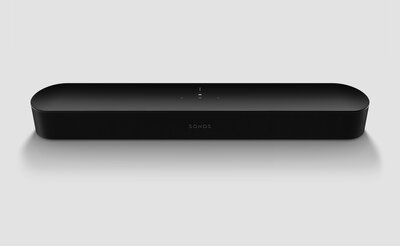
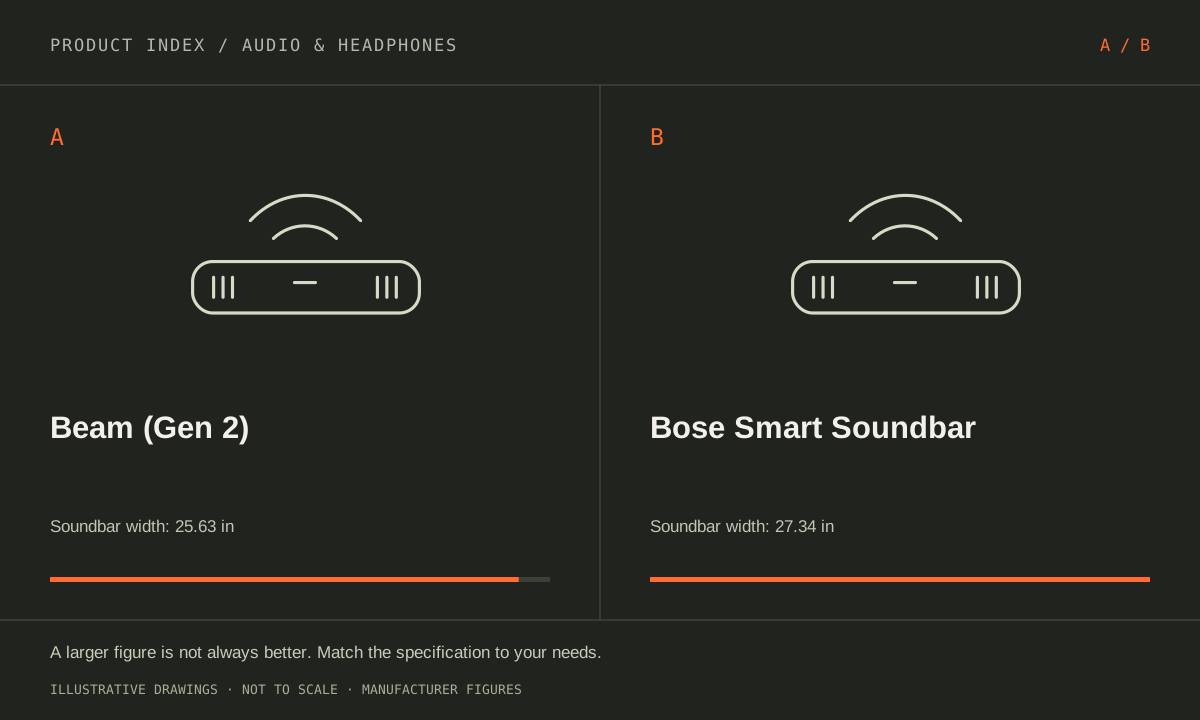
The facts, side by side.
Manufacturer specifications for the named models. On small screens, scroll the table sideways. A blank research field means the fact was not included here, not that the manufacturer does not publish it. Conditions and differently scoped specifications are kept separate.
| What matters | Beam (Gen 2) [1] | Bose Smart Soundbar [2] |
|---|---|---|
| Type | Compact networked Dolby Atmos soundbar | Compact Dolby Atmos soundbar; two upward-firing drivers |
| Width | 25.63 in / 651 mm | 27.34 in |
| Height | 2.68 in / 68 mm (current US product page) | 2.21 in |
| TV connection | HDMI eARC/ARC; optical via supplied adapter | HDMI eARC/ARC or optical |
| Music connections | Wi-Fi, Ethernet, AirPlay 2; no Bluetooth audio input | Wi-Fi, Bluetooth, AirPlay 2 and Chromecast built-in |
| Room tuning | Trueplay requires a supported iOS device | No ADAPTiQ; A.I. Dialogue Mode provided |
Listed maximums are manufacturer claims under their stated conditions, not results from our own testing. Regional versions and bundles can differ. No live prices or stock claims are shown.
Measure width, screen clearance and the sound path
The current Sonos page lists Beam at 25.63 inches wide and 2.68 inches tall. Bose lists 27.34 inches wide and 2.21 inches tall. A slightly lower bar can matter when the television sits close to the cabinet, while a narrower one can fit a tighter shelf. Measure the TV’s receiver location and screen clearance, as well as the space between its feet.
Bose includes upward-firing drivers; reflected sound depends on the ceiling and placement. A deep enclosure or overhanging shelf can obstruct the intended path. Beam uses its own acoustic arrangement and processing for Atmos. Neither implementation tells us how convincing the result will be in your particular room. Use the manufacturer placement instructions and a suitable listening trial rather than predicting immersion from driver count or the Atmos logo alone.
Manufacturer references: Beam (Gen 2) · Bose Smart Soundbar
Trace the signal from the app or console to the soundbar
Both support an HDMI eARC/ARC connection and an optical route, with Beam using its supplied optical adapter. The TV, source, content and audio settings must all support the format you want. Optical is a useful compatibility path for an older television, but it cannot carry every format supported over eARC. Check the complete signal chain before buying for a specific Atmos soundtrack.
These are TV-audio endpoints rather than substitutes for a receiver with a bank of HDMI source inputs. List the devices connected to the television and confirm what the TV passes through. Test ordinary dialogue and low-volume nighttime viewing as well as a demonstration film. Bose’s A.I. Dialogue Mode and Beam’s speech and night settings are tools to investigate; this evidence does not establish which makes speech clearer for your hearing or room.
Manufacturer references: Beam (Gen 2) · Bose Smart Soundbar
Choose the music and expansion routine you will actually use
Beam supports Wi-Fi, Ethernet and AirPlay 2, but does not provide Bluetooth music input. Bose supports Wi-Fi, Bluetooth, AirPlay 2 and Chromecast built-in. If visitors regularly play music from arbitrary phones, the intended sharing route deserves attention. If the home already uses Sonos rooms, consider the daily value of that integration before starting a second speaker system.
Sonos Trueplay room tuning requires a supported iOS device. Bose lists no ADAPTiQ for this Smart Soundbar, so do not assume a calibration feature from the more expensive Smart Ultra applies here. Check compatible optional bass modules, rear speakers and their total footprint before planning an expansion. Favor Beam for the Sonos workflow, wired networking or narrower width. Favor Bose for a lower cabinet profile, Bluetooth input or features you can actually use and assess in the room.
Manufacturer references: Beam (Gen 2) · Bose Smart Soundbar
A CLOSER LOOK AT OWNERSHIP
Beyond the specification sheet.
Additional model-specific document research checked October 20, 2026. The original comparison’s specification check date remains shown above.
Check the complete setup before ordering
Beam Gen 2 needs HDMI ARC or eARC for Dolby Atmos; optical cannot deliver it. Dolby TrueHD and multichannel PCM require eARC. A TV with ordinary ARC can carry supported Dolby Digital Plus Atmos, so eARC is not a universal requirement for every Atmos source. Match the television and player to the format you actually use.
Use the 2024 Bose Smart Soundbar owner guide to map HDMI ARC/eARC or optical setup. Confirm each source reaches the bar in a supported format and verify lip synchronization at the television. Do not import connection or calibration assumptions from Smart Ultra Soundbar or Smart Soundbar 600 instructions.
Sources: Beam (Gen 2) — manufacturer model information; no independent performance test (opens in a new tab) · Sonos home theater requirements — TV audio path, not room performance (opens in a new tab) · Sonos Beam Gen 2 fact sheet — eARC-only audio formats (opens in a new tab) · Bose Smart Soundbar — manufacturer model information; no independent performance test (opens in a new tab) · Bose 2024 Smart Soundbar owner guide — setup and connections (opens in a new tab)
Price the equipment you will actually use
Price Beam Gen 2 as the system you intend to build: bar, any mount, compatible surrounds or subwoofer, and required cables. Check each proposed addition by model instead of assuming all Sonos products serve every home-theater role. Compare the complete basket with a standalone-bar option before deciding expansion is worthwhile.
Make a complete Bose Smart Soundbar quote that identifies optional bass and surround equipment by exact model, plus mounting and cabling. If Bluetooth music input is the attraction, test that everyday handoff alongside TV use. Determine whether the compact single bar already meets the need before buying an expanded package.
Sources: Beam (Gen 2) — manufacturer model information; no independent performance test (opens in a new tab) · Sonos home theater requirements — TV audio path, not room performance (opens in a new tab) · Sonos Beam Gen 2 fact sheet — eARC-only audio formats (opens in a new tab) · Bose Smart Soundbar — manufacturer model information; no independent performance test (opens in a new tab) · Bose 2024 Smart Soundbar owner guide — setup and connections (opens in a new tab)
Plan care, parts, and the service route
Before buying a used Beam Gen 2, establish that it can be reset and added to your household’s app setup. Ask Sonos about the applicable software, service route, and purchase coverage. For a new unit, check dialogue and synchronization within the seller’s return window; format compatibility alone does not establish satisfaction in your room.
Ask Bose about the 2024 Smart Soundbar’s current repair or exchange route and the seller’s return freight. Keep app and television settings with troubleshooting notes. The owner guide establishes connections, not a guarantee of dialogue clarity in every room or a blanket warranty for all installation mistakes.
Sources: Beam (Gen 2) — manufacturer model information; no independent performance test (opens in a new tab) · Sonos home theater requirements — TV audio path, not room performance (opens in a new tab) · Sonos Beam Gen 2 fact sheet — eARC-only audio formats (opens in a new tab) · Bose Smart Soundbar — manufacturer model information; no independent performance test (opens in a new tab) · Bose 2024 Smart Soundbar owner guide — setup and connections (opens in a new tab)
What rules each option out—and when to keep what you own
Measure cabinet width, height, screen clearance, and the TV connection before comparing soundbar features. Rule out either setup if the intended source cannot reach it in the desired format. Beam’s Sonos expansion path and Bose’s Bluetooth use may influence the decision, but neither justifies ignoring television compatibility or the room’s physical limitations.
Keep the current bar if changing placement or audio settings resolves the problem. If dialogue is the complaint, evaluate spoken material at normal household volume before buying surrounds or a subwoofer. Compare single bars first when that is the intended purchase; price expanded systems separately so optional equipment does not silently change the comparison.
Sources: Beam (Gen 2) — manufacturer model information; no independent performance test (opens in a new tab) · Sonos home theater requirements — TV audio path, not room performance (opens in a new tab) · Sonos Beam Gen 2 fact sheet — eARC-only audio formats (opens in a new tab) · Bose Smart Soundbar — manufacturer model information; no independent performance test (opens in a new tab) · Bose 2024 Smart Soundbar owner guide — setup and connections (opens in a new tab)
THE REST OF THE BUYING DECISION
Think beyond the upgrade.
Audio equipment earns its place by being comfortable, easy to connect, and useful in the room or routine you actually have. Start with your listening source and the problem you want to solve. A codec badge, driver count, or spatial-audio logo cannot establish the best sound for every listener. The guidance here combines official setup documentation with an explicit checklist for your own evaluation.
The audio & headphones field guide covers the broader ownership questions, with source-specific examples. It complements this exact-model comparison; its examples do not establish features or policies for every model here.
MAKE IT YOUR DECISION
Your before-you-buy checklist.
Use this as a final check, alongside the model-specific evidence above.
Check off the questions you have resolved. Nothing is sent to a server.
Before you place the order.
- Match the full model name and generation. A similarly named bundle may have different accessories.
- Confirm the total price, seller, warranty eligibility, delivery estimate, and return terms at checkout.
- Account for any accessories or compatible equipment your setup needs. An upgrade only has value if you will use it.
Your product questions, answered.
Does Beam Gen 2 accept Bluetooth music?
No Bluetooth music input is listed. It uses supported network streaming, AirPlay 2 and TV connections.
Does an optical connection provide every Dolby Atmos mode?
No. Check the TV and source format support; higher-bandwidth formats require a suitable HDMI eARC path.
Does Beam Gen 2 always need eARC for Atmos?
No. Supported Dolby Digital Plus Atmos can travel through ARC; Dolby TrueHD and multichannel PCM need eARC. Optical does not carry Atmos. The TV must pass the selected source format, so the bar’s badge alone is insufficient.
Sources: Beam (Gen 2) — manufacturer model information; no independent performance test (opens in a new tab) · Sonos home theater requirements — TV audio path, not room performance (opens in a new tab) · Sonos Beam Gen 2 fact sheet — eARC-only audio formats (opens in a new tab) · Bose Smart Soundbar — manufacturer model information; no independent performance test (opens in a new tab) · Bose 2024 Smart Soundbar owner guide — setup and connections (opens in a new tab)
Should I buy the subwoofer and surrounds immediately?
Only after establishing the desired layout and compatible models. A single-bar trial can show whether the real problem is already solved without buying the complete expansion package.
Sources: Beam (Gen 2) — manufacturer model information; no independent performance test (opens in a new tab) · Sonos home theater requirements — TV audio path, not room performance (opens in a new tab) · Sonos Beam Gen 2 fact sheet — eARC-only audio formats (opens in a new tab) · Bose Smart Soundbar — manufacturer model information; no independent performance test (opens in a new tab) · Bose 2024 Smart Soundbar owner guide — setup and connections (opens in a new tab)
What does a useful dialogue trial include?
Use familiar speech at your normal volume and seating position. Check television synchronization and remote control behavior, then include the least convenient source you regularly use.
Sources: Beam (Gen 2) — manufacturer model information; no independent performance test (opens in a new tab) · Sonos home theater requirements — TV audio path, not room performance (opens in a new tab) · Sonos Beam Gen 2 fact sheet — eARC-only audio formats (opens in a new tab) · Bose Smart Soundbar — manufacturer model information; no independent performance test (opens in a new tab) · Bose 2024 Smart Soundbar owner guide — setup and connections (opens in a new tab)
What should I verify on used soundbars?
Confirm exact generation, reset and setup ability, included power and connection accessories, and seller returns. App membership and an attractive condition description do not establish complete operation.
Sources: Beam (Gen 2) — manufacturer model information; no independent performance test (opens in a new tab) · Sonos home theater requirements — TV audio path, not room performance (opens in a new tab) · Sonos Beam Gen 2 fact sheet — eARC-only audio formats (opens in a new tab) · Bose Smart Soundbar — manufacturer model information; no independent performance test (opens in a new tab) · Bose 2024 Smart Soundbar owner guide — setup and connections (opens in a new tab)
Sources & limitations.
Original comparison research: October 18, 2026. Individual product-source checks and ownership additions carry their own dates. These links identify the manufacturer evidence used for the specifications. Recommendations and practical implications are our editorial judgments. We have not measured performance, reliability, comfort, or long-term ownership for this comparison.
- Sonos Beam (Gen 2) — manufacturer specifications (opens in a new tab)
Checked October 18, 2026. - Bose Smart Soundbar (2024 model) — manufacturer specifications (opens in a new tab)
Bose Smart Soundbar 2024 announcement (opens in a new tab)
Checked October 18, 2026.
Confirm current specifications for your region and exact bundle. Read our research and correction approach.