THE DIFFERENCES THAT MATTER
Jackery 1000 v2 vs Anker SOLIX C2000 Gen 2: how much capacity do you need?
Size a roughly 1 kWh or 2 kWh station from a load log, carrying routine and charging opportunities.
Researched from manufacturer sources. These products have not been hands-on tested for this article.
START HERE
Is the smaller station enough between charging stops, or does the longer interval justify the larger reserve?
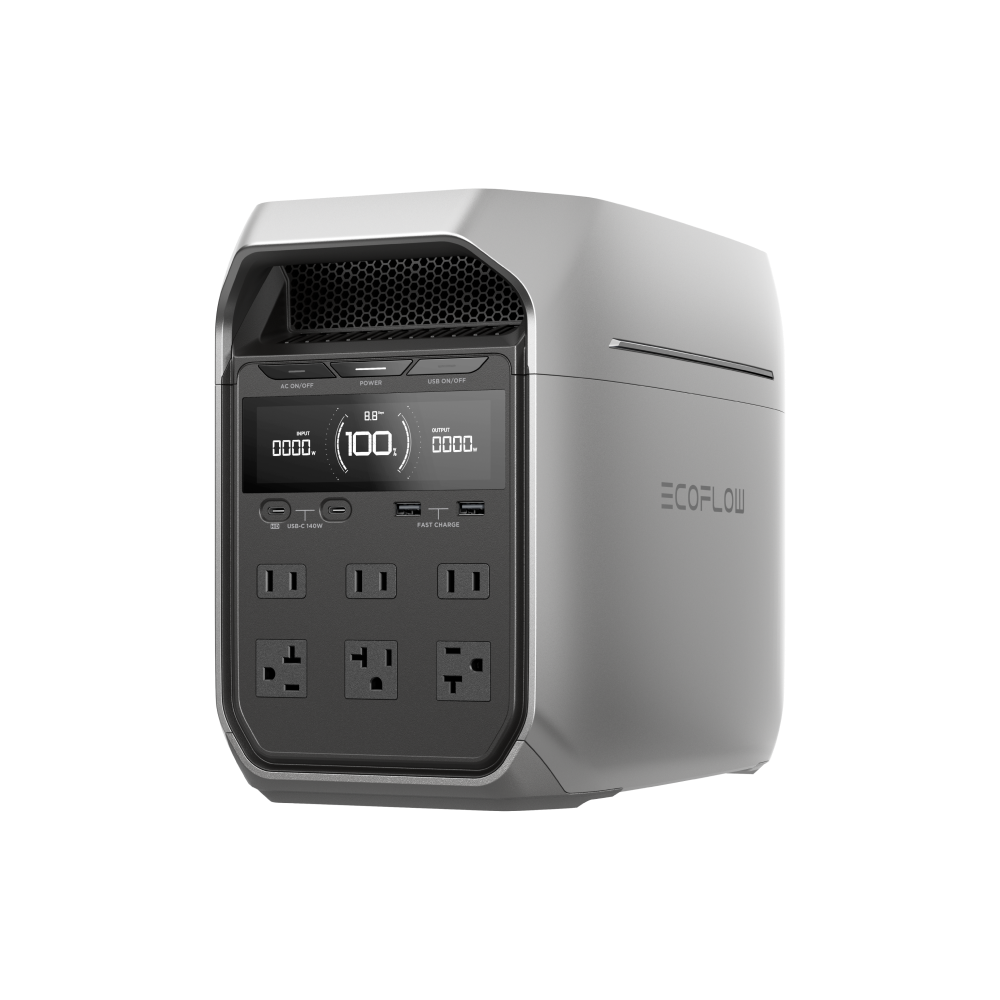
A larger battery is useful when it covers a defined gap between charging opportunities. Jackery Explorer 1000 v2 stores 1,070 Wh nominally; Anker SOLIX C2000 Gen 2 stores 2,048 Wh. Their continuous AC ratings also differ. This is a capacity-class decision for a travel desk, occasional outage or equipment day, using exact US stations rather than assuming every product carrying a 1000 or 2000 name has the same specifications.
Jackery Explorer 1000 v2 (US)
A good fit if: A shortlist option when frequent carrying matters and the combined AC load stays within 1,500 W.
The tradeoff: Its lower continuous AC limit and unequal USB-C ports need checking against your actual devices.
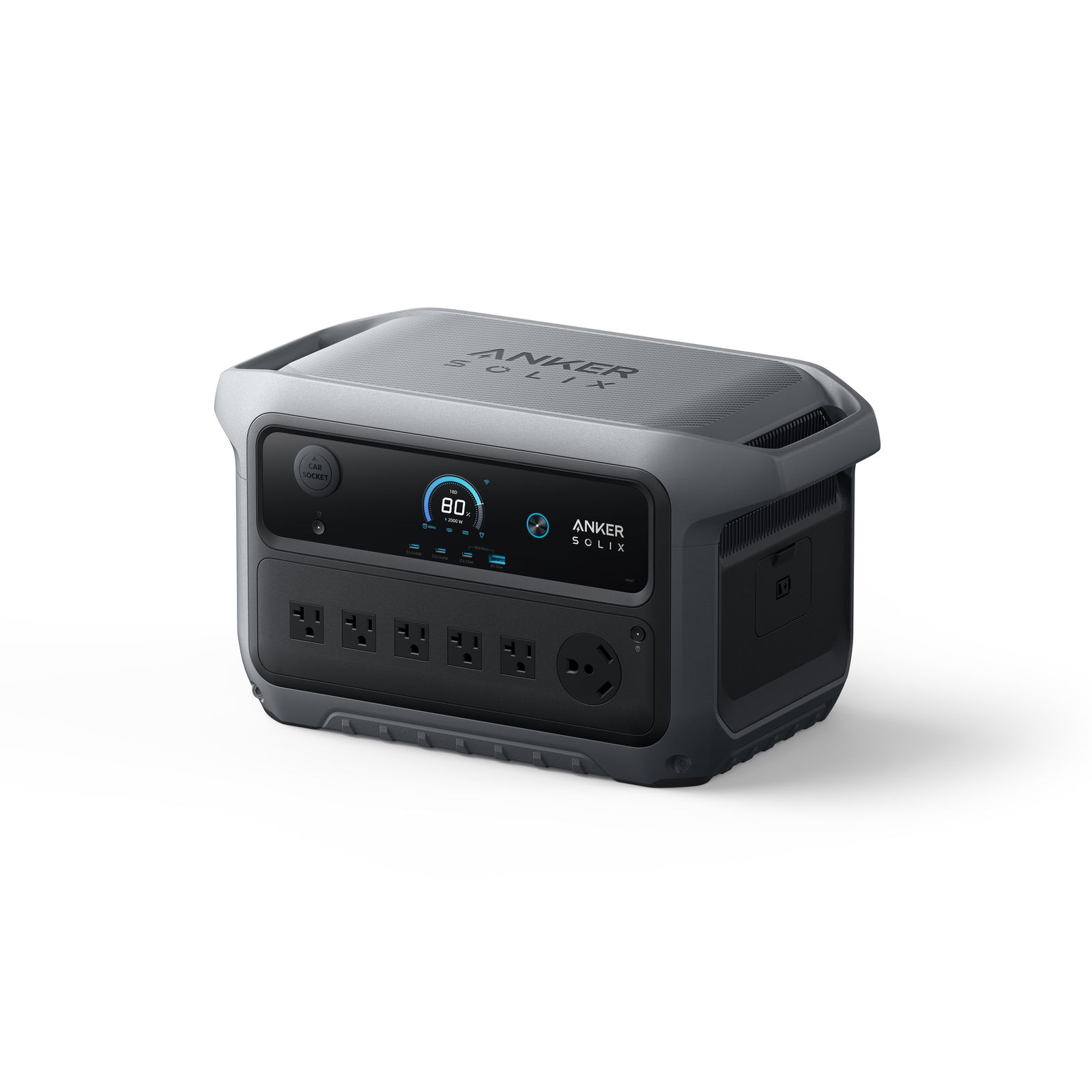
Anker SOLIX C2000 Gen 2 (US)
A good fit if: A shortlist option for regular carrying and compatible high-power USB-C devices when the 800 W solar ceiling fits.
The tradeoff: Check output-path limits: the detailed specification lists a different limit for the bidirectional inlet from the ordinary AC outlets.
As an Amazon Associate I earn from qualifying purchases. How shopping links work.
Explorer 1000 v2
View this model on Amazon : Jackery Explorer 1000 v2 (US) (opens in a new tab)Check the seller, exact variant, price and included accessories.SOLIX C2000 Gen 2
View this model on Amazon : Anker SOLIX C2000 Gen 2 (US) (opens in a new tab)Check the seller, exact variant, price and included accessories.See the product photos and comparison illustration
The facts, side by side.
Manufacturer specifications for the named models. On small screens, scroll the table sideways. A blank research field means the fact was not included here, not that the manufacturer does not publish it. Conditions and differently scoped specifications are kept separate.
| What matters | Explorer 1000 v2 [1] | SOLIX C2000 Gen 2 [2] |
|---|---|---|
| Battery capacity | 1,070 Wh nominal | 2,048 Wh nominal |
| Rated AC output | 1,500 W total (US) | 2,400 W total; 1,800 W bidirectional inlet limit |
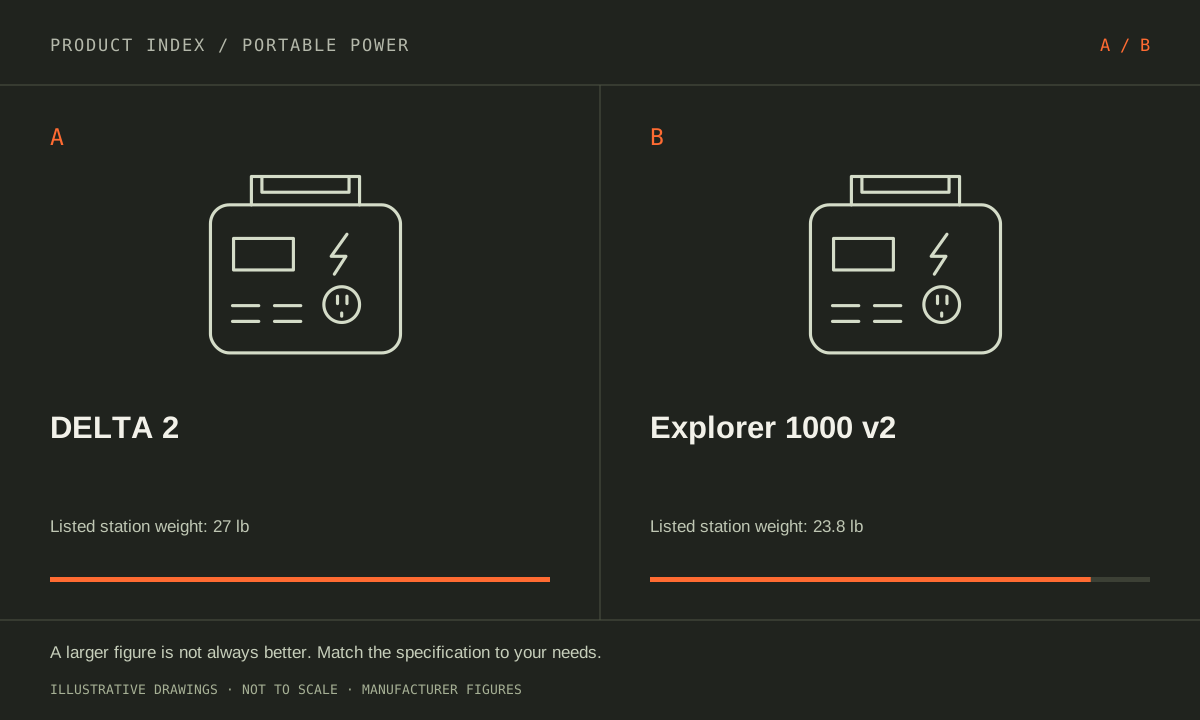
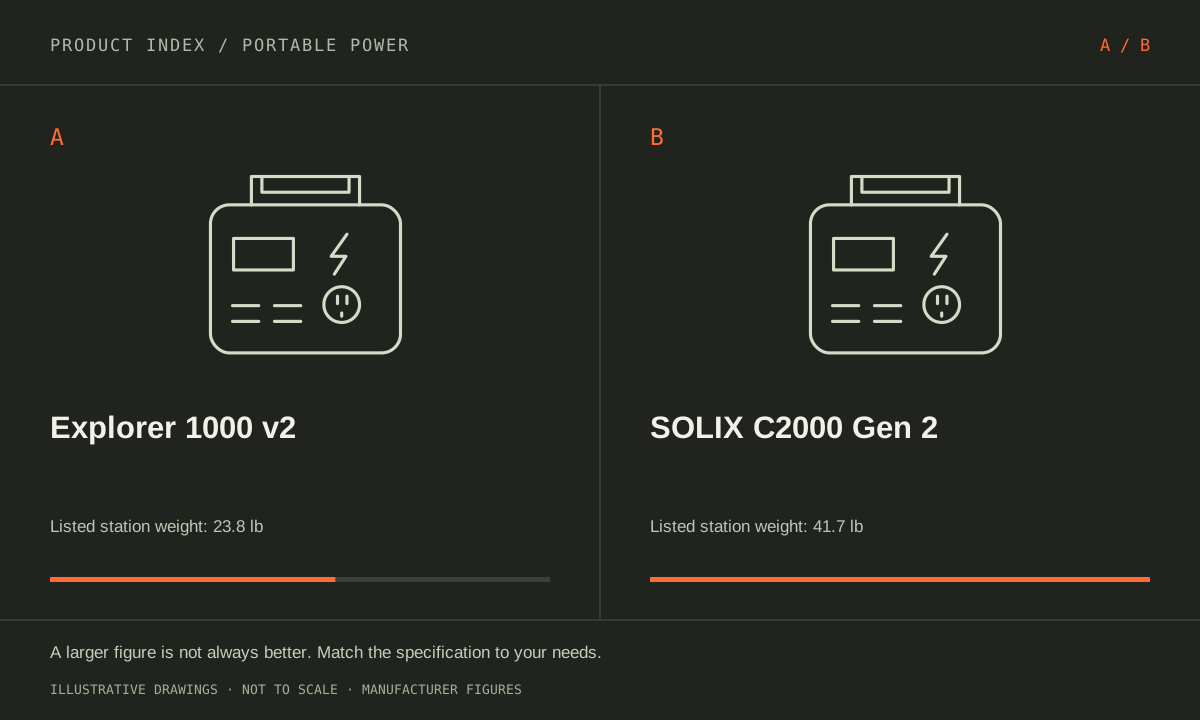
| Weight | Approximately 23.8 lb / 10.8 kg | 41.7 lb / 18.9 kg |
| Dimensions | 327 × 224 × 247 mm | Not included in this comparison |
| Battery chemistry | LiFePO4 (LFP) | LFP |
| USB-C output | 1 × up to 100 W; 1 × up to 30 W | 2 × up to 140 W; 1 × 15 W |
| Solar input maximum | 400 W total; compatible voltage/current required | 800 W; 11–60 V, 17 A maximum |
Listed maximums are manufacturer claims under their stated conditions, not results from our own testing. Regional versions and bundles can differ. No live prices or stock claims are shown.
Build an energy budget before choosing a capacity class
Start with the devices and hours that must fit between recharges. A hypothetical constant 100 W load consumes 600 Wh over six hours; that is arithmetic, not a measured runtime for either station. AC conversion losses, the station’s own consumption, temperature and battery reserve reduce usable energy. Use a plug-in meter to record an actual working day, including the monitor, network equipment and anything that stays on while the computer sleeps.
The Anker’s nominal reserve is about 1.9 times the Jackery’s, which creates more room for a longer interval or additional loads. It does not promise exactly 1.9 times runtime under every setting. If a reliable socket is available every afternoon, unused overnight capacity may add little value. If the requirement is to span two work periods without charging, the larger reserve becomes a concrete benefit rather than an appealing number on a product card.
Manufacturer references: Explorer 1000 v2 · SOLIX C2000 Gen 2
Separate the appliance ceiling from stored energy
Jackery lists 1,500 W continuous AC output; Anker lists 2,400 W at the ordinary AC output in its detailed table, with a separate 1,800 W bidirectional-inlet limit. The Anker page contains conflicting outlet wording, flagged in our source note. Confirm the exact output path and current manual for a near-limit appliance. Neither a surge label nor a special load-management mode should replace the normal continuous rating in your plan.
A high-power appliance can empty either battery quickly even if it is within the inverter’s rating. Conversely, a low-power router may fit the smaller output ceiling easily but still need substantial stored energy over a long outage. Write two separate requirements: maximum simultaneous watts and total watt-hours. Also check startup behavior for motors and compressors, using manufacturer information for the appliance rather than assuming its normal running draw is its hardest moment.
Manufacturer references: Explorer 1000 v2 · SOLIX C2000 Gen 2
The carrying and recharging routine can settle the choice
The listed station weights are 23.8 lb for Jackery and 41.7 lb for Anker. Include any panels, cables and protective storage in the equipment you must lift into a vehicle or carry upstairs. A battery that stays beside a desk creates a different handling problem from one moved twice each day. Confirm the available storage space with the actual dimensions rather than treating a nominal capacity class as a size standard.
Anker’s published solar-input ceiling is 800 W and Jackery’s is 400 W, but a higher ceiling helps only with a compatible array and suitable sunlight. Voltage, current, connector and deployment space all matter. Compare your dependable charging opportunities, then choose the smallest complete system that covers the required interval with a sensible margin. Favor Jackery when the measured energy need fits and frequent carrying dominates; favor Anker when the additional reserve or documented output path solves the load plan.
Manufacturer references: Explorer 1000 v2 · SOLIX C2000 Gen 2
A CLOSER LOOK AT OWNERSHIP
Beyond the specification sheet.
Additional model-specific document research checked October 20, 2026. The original comparison’s specification check date remains shown above.
Check the complete setup before ordering
For Explorer 1000 v2, assign each USB-C device to a particular port before buying; its USB-C outputs are not identical. Also list simultaneous AC loads rather than counting sockets. Match the exact US v2 listing so a similarly named Plus or Pro model does not enter the comparison unnoticed.
Use the C2000 Gen 2 A1783 United States guide for setup. It documents charging and discharging limits plus output-memory settings in the app. Decide which behavior you want after a low battery or interruption, then verify the actual connected equipment recovers as intended before relying on unattended operation.
Sources: Explorer 1000 v2 — manufacturer model information; no independent performance test (opens in a new tab) · Jackery support — models that accept expansion batteries; 1000 v2 is excluded (opens in a new tab) · SOLIX C2000 Gen 2 — manufacturer model information; no independent performance test (opens in a new tab) · C2000 Gen 2 A1783 United States guide — accessory purchasing and settings (opens in a new tab)
Price the equipment you will actually use
Explorer 1000 v2 does not accept an expansion battery. Jackery’s supported expansion list includes 1000 Plus and 2000 Plus, not 1000 v2. If more stored energy will be necessary, price the appropriate larger or expandable station now; a later Plus-branded battery is not an upgrade path for this model.
The C2000 Gen 2 US guide identifies solar connection cables and the car charging cable as separate purchases. List those explicitly if either charging method matters. A low station-only price does not describe the cost of the complete travel kit, and an included AC cable does not solve every recharge plan.
Sources: Explorer 1000 v2 — manufacturer model information; no independent performance test (opens in a new tab) · Jackery support — models that accept expansion batteries; 1000 v2 is excluded (opens in a new tab) · SOLIX C2000 Gen 2 — manufacturer model information; no independent performance test (opens in a new tab) · C2000 Gen 2 A1783 United States guide — accessory purchasing and settings (opens in a new tab)
Plan care, parts, and the service route
The Explorer 1000 v2 product page presents warranty information with conditions. Confirm the extension process for your seller, the authorized service route, and return freight. Ask specifically about storage intervals and battery service. No current replacement-battery price or universal user-serviceable battery arrangement is established in this comparison.
Keep the C2000 Gen 2 region and hardware identification with the receipt. Ask Anker about its prescribed storage routine, battery-service route, and current warranty exclusions. Record app limits and output settings before troubleshooting a shutdown. We have not established a battery-replacement price or guaranteed turnaround for this model.
Sources: Explorer 1000 v2 — manufacturer model information; no independent performance test (opens in a new tab) · Jackery support — models that accept expansion batteries; 1000 v2 is excluded (opens in a new tab) · SOLIX C2000 Gen 2 — manufacturer model information; no independent performance test (opens in a new tab) · C2000 Gen 2 A1783 United States guide — accessory purchasing and settings (opens in a new tab)
What rules each option out—and when to keep what you own
These are different capacity and output classes, so first establish whether the smaller Explorer meets the required duration. Do not select the larger C2000 only because its specification is bigger, or the lighter Jackery when a required load is unsupported. Confirm that the complete charging routine can replenish what you expect to use each day.
Keep a smaller station when it meets the trip or outage plan; its simpler carrying routine may be valuable. Upgrade to a larger reserve when you can quantify the energy shortfall. Compare cutting nonessential loads or using a different recharge opportunity before buying capacity that increases weight, storage needs, and the accessory budget without solving the actual problem.
Sources: Explorer 1000 v2 — manufacturer model information; no independent performance test (opens in a new tab) · Jackery support — models that accept expansion batteries; 1000 v2 is excluded (opens in a new tab) · SOLIX C2000 Gen 2 — manufacturer model information; no independent performance test (opens in a new tab) · C2000 Gen 2 A1783 United States guide — accessory purchasing and settings (opens in a new tab)
THE REST OF THE BUYING DECISION
Think beyond the upgrade.
The best portable power station is the one that powers your essential equipment for the time you need, can be recharged where you use it, and is manageable to carry. Start with an equipment list, not a promotional wattage. This guide explains the decisions behind a useful shortlist; manufacturer specifications are evidence of stated capabilities, not our own runtime tests.
The portable power field guide covers the broader ownership questions, with source-specific examples. It complements this exact-model comparison; its examples do not establish features or policies for every model here.
MAKE IT YOUR DECISION
Your before-you-buy checklist.
Use this as a final check, alongside the model-specific evidence above.
Check off the questions you have resolved. Nothing is sent to a server.
Before you place the order.
- Match the full model name and generation. A similarly named bundle may have different accessories.
- Confirm the total price, seller, warranty eligibility, delivery estimate, and return terms at checkout.
- Account for any accessories or compatible equipment your setup needs. An upgrade only has value if you will use it.
Your product questions, answered.
Does 2,048 Wh mean two hours at 1,024 W?
That is ideal arithmetic before losses and reserve. It is not a measured or guaranteed AC runtime.
Is the C2000 Gen 2 a 2,400 W outlet on every path?
No. Its bidirectional inlet has a separate 1,800 W limit, and the official page has conflicting outlet wording. Confirm the exact path and current manual.
Is this mainly a generation comparison?
No. These products occupy different storage and output classes. Choose from a measured load-and-duration requirement rather than treating Gen 2 or v2 as comparable performance labels.
Sources: Explorer 1000 v2 — manufacturer model information; no independent performance test (opens in a new tab) · Jackery support — models that accept expansion batteries; 1000 v2 is excluded (opens in a new tab) · SOLIX C2000 Gen 2 — manufacturer model information; no independent performance test (opens in a new tab) · C2000 Gen 2 A1783 United States guide — accessory purchasing and settings (opens in a new tab)
What changes in the charging budget?
Check the source and cables for the energy you intend to replace. Anker’s US guide identifies separately purchased solar and car cables; the station price does not include every charging path.
Sources: Explorer 1000 v2 — manufacturer model information; no independent performance test (opens in a new tab) · Jackery support — models that accept expansion batteries; 1000 v2 is excluded (opens in a new tab) · SOLIX C2000 Gen 2 — manufacturer model information; no independent performance test (opens in a new tab) · C2000 Gen 2 A1783 United States guide — accessory purchasing and settings (opens in a new tab)
Which is better for carrying?
Evaluate the complete kit and loading route after electrical requirements pass. The lighter station-only choice may still require bulky panels, while a larger station may avoid a particular recharge stop.
Sources: Explorer 1000 v2 — manufacturer model information; no independent performance test (opens in a new tab) · Jackery support — models that accept expansion batteries; 1000 v2 is excluded (opens in a new tab) · SOLIX C2000 Gen 2 — manufacturer model information; no independent performance test (opens in a new tab) · C2000 Gen 2 A1783 United States guide — accessory purchasing and settings (opens in a new tab)
When should neither replace my current unit?
When the existing system supplies the essential devices for the required time and recharges conveniently. Document a specific shortfall before committing to a different size or platform.
Sources: Explorer 1000 v2 — manufacturer model information; no independent performance test (opens in a new tab) · Jackery support — models that accept expansion batteries; 1000 v2 is excluded (opens in a new tab) · SOLIX C2000 Gen 2 — manufacturer model information; no independent performance test (opens in a new tab) · C2000 Gen 2 A1783 United States guide — accessory purchasing and settings (opens in a new tab)
Sources & limitations.
Original comparison research: October 18, 2026. Individual product-source checks and ownership additions carry their own dates. These links identify the manufacturer evidence used for the specifications. Recommendations and practical implications are our editorial judgments. We have not measured performance, reliability, comfort, or long-term ownership for this comparison.
- Jackery Explorer 1000 v2 (US) — manufacturer specifications (opens in a new tab)
Checked October 18, 2026. - Anker SOLIX C2000 Gen 2 (US) — manufacturer specifications (opens in a new tab)
The page infographic labels ordinary AC outlets at 1,800 W, while its detailed table lists NEMA 5-20R at 2,400 W maximum and the bidirectional inlet at 1,800 W. Confirm the exact output path and manual before a near-limit load.
Anker C2000 Gen 2 detailed output and input table (opens in a new tab)
Checked October 18, 2026.
Confirm current specifications for your region and exact bundle. Read our research and correction approach.