THE DIFFERENCES THAT MATTER
TP-Link Deco BE63 two-pack vs three-pack: how many nodes do you need?
The hardware is the same. Plan gateway placement, wired links and real coverage gaps before adding a third unit.
Researched from manufacturer sources. These products have not been hands-on tested for this article.
START HERE
Do you have two or three useful powered node positions with a workable path back to the gateway?
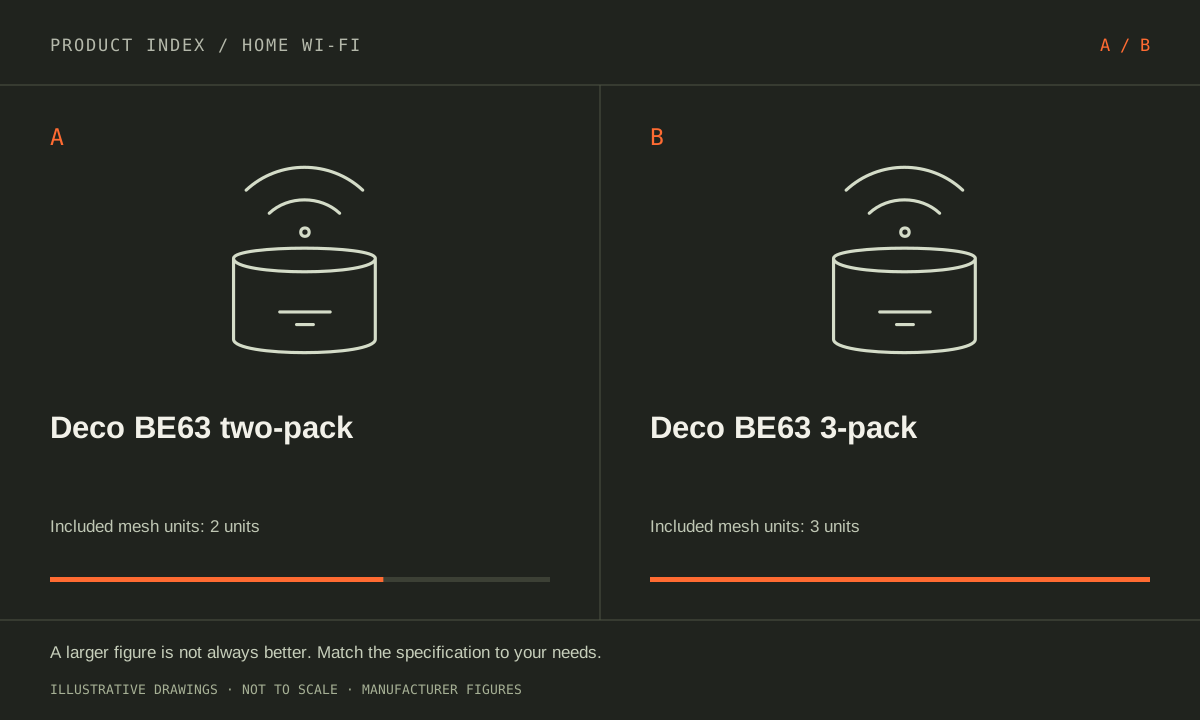
The US Deco BE63 two-pack and three-pack contain the same model of tri-band Wi-Fi 7 hardware. A third unit adds a placement option, not a newer radio generation or faster Ethernet port. Start with a floor plan showing the internet handoff, difficult rooms and available Ethernet runs. These exact retailer packages differ in unit count; their coverage labels cannot predict a result inside a particular home.
TP-Link Deco BE63 (US two-pack)
A good fit if: A shortlist option when two well-placed units cover the rooms and wired links needed.
The tradeoff: A two-pack has fewer placement options than the same hardware in a three-pack; do not infer coverage by simply adding square-foot claims.
TP-Link Deco BE63 (US; 3-pack)
A good fit if: A shortlist option when remote rooms need several wired connections without adding a switch immediately.
The tradeoff: BE10000 is an aggregate radio class, not a device speed; check the hardware revision and current firmware support.
As an Amazon Associate I earn from qualifying purchases. How shopping links work.
Deco BE63 two-pack
View this model on Amazon : TP-Link Deco BE63 (US two-pack) (opens in a new tab)Selected size verified as 2 Pack and style as Wi-Fi 7, 2.5G Port.Deco BE63 3-pack
View this model on Amazon : TP-Link Deco BE63 (US; 3-pack) (opens in a new tab)Check the seller, exact variant, price and included accessories.See the product photos and comparison illustration
The facts, side by side.
Manufacturer specifications for the named models. On small screens, scroll the table sideways. A blank research field means the fact was not included here, not that the manufacturer does not publish it. Conditions and differently scoped specifications are kept separate.
| What matters | Deco BE63 two-pack [1] | Deco BE63 3-pack [2] |
|---|---|---|
| Wi-Fi generation | Tri-band Wi-Fi 7; BE10000 aggregate class | Wi-Fi 7; BE10000 theoretical radio class |
| Radio bands | 2.4, 5 and 6 GHz | Tri-band: 2.4, 5 and 6 GHz |
| Ethernet per unit | 4 × 2.5 GbE; auto-sensing WAN/LAN | Not included in this comparison |
| Maximum channel width | Up to 320 MHz on compatible 6 GHz clients | 320 MHz on compatible 6 GHz operation |
| Backhaul | Ethernet or wireless; placement and configuration matter | Not included in this comparison |
| Package | 2 Deco BE63 units; exact two-pack listing | 3 interchangeable Deco units; wired/wireless backhaul |
| Optional services | HomeShield basic features; advanced services require subscription | Not included in this comparison |
| Gateway Ethernet ports | Not included in this comparison | 4 × 2.5 GbE; WAN/LAN auto-sensing |
| Satellite Ethernet ports | Not included in this comparison | 4 × 2.5 GbE per Deco |
Listed maximums are manufacturer claims under their stated conditions, not results from our own testing. Regional versions and bundles can differ. No live prices or stock claims are shown.
Count useful locations rather than floors alone
One unit becomes the gateway at the internet connection. A two-pack leaves one additional mesh location; a three-pack leaves two. The gateway may start near an inconvenient outside wall or utility cabinet, so draw its real position before assuming two units means two equally useful central locations. Identify which rooms need reliable connectivity and the walls or floors between them. A third box has value when it can occupy a position that actually addresses a gap.
For wireless backhaul, a remote unit needs a workable connection upstream; placing it at the far edge where the existing signal is already poor can preserve the underlying problem. Use the manufacturer’s placement guidance and inspect available outlets. Stairwells, open routes and cable options can matter more than a simple count of bedrooms. Do not choose the three-pack solely because a house has three floors, or the two-pack solely because an advertised square-foot number exceeds the floor area.
Manufacturer references: Deco BE63 two-pack · Deco BE63 3-pack
Wired backhaul changes the placement calculation
Each BE63 has four auto-sensing 2.5 GbE Ethernet ports. A wired uplink consumes one port at a remote unit, leaving other ports for compatible local equipment. If Ethernet reaches the office and media room, a third unit can provide a defined access-point location with a wired path. Check switches, wall links and the gateway path before calling the complete route multi-gigabit. The slowest active link can still constrain the traffic it carries.
Without Ethernet, the radio environment and placement determine the backhaul opportunity. A third unit is not a promise that throughput increases, and adding nodes beyond useful locations can complicate a network rather than solve the original fault. List whether each location serves wireless clients, wired clients or both, and whether an added switch would be required. Compare the actual plan, including available power and cabling, instead of regarding a larger kit as an automatic performance upgrade.
Manufacturer references: Deco BE63 two-pack · Deco BE63 3-pack
Keep hardware features and package value separate
Both packages have the same Wi-Fi 7 generation, 2.4/5/6 GHz radios and supported 320 MHz operation for compatible clients. A phone without the relevant radio or software does not gain those features merely because an extra node is present. The BE10000 aggregate class also is not one device’s guaranteed transfer rate. If the current problem belongs to the internet service, an old client or a gigabit switch, changing only unit count may leave it untouched.
Compare current complete package contents and the later supported expansion option at purchase time; no fixed price difference is assumed here. Keep subscription needs separate from node count because another box does not automatically unlock paid HomeShield services. Favor the two-pack when two useful positions cover the actual layout and links. Favor the three-pack when the third planned position solves a documented gap or serves an additional wired zone. Leave room to test placement and reassess before installing an unused node by default.
Manufacturer references: Deco BE63 two-pack · Deco BE63 3-pack
A CLOSER LOOK AT OWNERSHIP
Beyond the specification sheet.
Additional model-specific document research checked October 20, 2026. The original comparison’s specification check date remains shown above.
Check the complete setup before ordering
For the BE63 two-pack, identify one gateway location and one useful remote location before buying. Use the documented backhaul rules for Router or Access Point mode. The same hardware family does not make two locations cover a floor plan that requires a third connection point.
For the Deco BE63 three-pack, choose Router or Access Point mode before designing Ethernet backhaul. TP-Link’s wiring guidance distinguishes those arrangements. Identify the gateway and remaining ports at every location. Confirm the hardware version and client features relevant to your plan instead of treating the Wi-Fi 7 label as sufficient.
Sources: Deco BE63 3-pack — manufacturer model information; no independent performance test (opens in a new tab) · TP-Link Deco — backhaul topology differs by operating mode (opens in a new tab) · TP-Link Deco operating-mode table — access-point mode feature restrictions (opens in a new tab)
Price the equipment you will actually use
Price the BE63 two-pack with any future single-node expansion quote, switches, and cable work. Compare that figure with the three-pack only after locating a genuine third coverage need. Check exact regional hardware and package contents rather than assuming every discounted BE63 bundle includes the same number of nodes.
Quote the BE63 three-pack with required cable work, any switches, and the exact HomeShield features you want. Check which services require a current subscription and which operate in your chosen mode. Do not pay for a third node without identifying a useful placement and a viable connection back to the network.
Sources: Deco BE63 3-pack — manufacturer model information; no independent performance test (opens in a new tab) · TP-Link Deco — backhaul topology differs by operating mode (opens in a new tab) · TP-Link Deco operating-mode table — access-point mode feature restrictions (opens in a new tab)
Plan care, parts, and the service route
TP-Link’s Deco mode table excludes HomeShield, parental controls, QoS, port forwarding, and address reservations in access-point mode. Mesh coverage and supported Ethernet backhaul remain available. A BE63 used behind another router can therefore meet the coverage plan while failing the parental-control plan; paying for a service does not change the documented mode restriction.
TP-Link’s Deco mode table excludes HomeShield, parental controls, QoS, port forwarding, and address reservations in access-point mode. Mesh coverage and supported Ethernet backhaul remain available. A BE63 used behind another router can therefore meet the coverage plan while failing the parental-control plan; paying for a service does not change the documented mode restriction.
Sources: Deco BE63 3-pack — manufacturer model information; no independent performance test (opens in a new tab) · TP-Link Deco — backhaul topology differs by operating mode (opens in a new tab) · TP-Link Deco operating-mode table — access-point mode feature restrictions (opens in a new tab)
What rules each option out—and when to keep what you own
This is a node-count decision within the same BE63 family. Rule out the two-pack if the actual layout requires a supported third placement to reach a specific area; rule out the three-pack as an automatic improvement when there is no sensible location or useful connection for the extra unit. Coverage claims are not a room-by-room survey.
Keep the two-node arrangement when it performs well in the places people use devices. Before adding a third node, check whether moving an existing one or installing supported Ethernet backhaul resolves the problem. Price the exact pack and any future single-node purchase, and confirm region and hardware details instead of assuming the cheapest differently described listing matches your system.
Sources: Deco BE63 3-pack — manufacturer model information; no independent performance test (opens in a new tab) · TP-Link Deco — backhaul topology differs by operating mode (opens in a new tab) · TP-Link Deco operating-mode table — access-point mode feature restrictions (opens in a new tab)
THE REST OF THE BUYING DECISION
Think beyond the upgrade.
A good home network delivers dependable service where people use it. The largest advertised speed or a newer Wi-Fi generation is not automatically the solution to a slow bedroom, unreliable call, or busy household. Start by identifying where the problem occurs, then compare coverage, wired connections, client support, configuration, and ownership costs. This is a documented buying framework, not a claim that we measured these routers in your home.
The home wi-fi field guide covers the broader ownership questions, with source-specific examples. It complements this exact-model comparison; its examples do not establish features or policies for every model here.
MAKE IT YOUR DECISION
Your before-you-buy checklist.
Use this as a final check, alongside the model-specific evidence above.
Check off the questions you have resolved. Nothing is sent to a server.
Before you place the order.
- Match the full model name and generation. A similarly named bundle may have different accessories.
- Confirm the total price, seller, warranty eligibility, delivery estimate, and return terms at checkout.
- Account for any accessories or compatible equipment your setup needs. An upgrade only has value if you will use it.
Your product questions, answered.
Is the three-pack a faster BE63 revision?
No. These selected US packages use the same BE63 hardware; the meaningful difference is two units versus three.
Will a third node always improve speed?
No. Placement, backhaul and the actual bottleneck matter. Extra hardware does not automatically increase throughput.
Does the third unit change BE63’s basic hardware class?
This comparison concerns pack size within the BE63 family. Verify the exact regional listing and revision, but do not treat the three-pack label itself as a faster radio generation.
Sources: Deco BE63 3-pack — manufacturer model information; no independent performance test (opens in a new tab) · TP-Link Deco — backhaul topology differs by operating mode (opens in a new tab) · TP-Link Deco operating-mode table — access-point mode feature restrictions (opens in a new tab)
Where should the extra node go?
Choose a location that serves a defined weak area while maintaining a suitable connection to the rest of the network. Placing it only where the signal is already lost may not solve the problem.
Sources: Deco BE63 3-pack — manufacturer model information; no independent performance test (opens in a new tab) · TP-Link Deco — backhaul topology differs by operating mode (opens in a new tab) · TP-Link Deco operating-mode table — access-point mode feature restrictions (opens in a new tab)
Could Ethernet backhaul avoid an extra purchase?
It may address a weak wireless link if the route is practical. Follow TP-Link’s topology instructions for the chosen operating mode and assess the existing coverage afterward.
Sources: Deco BE63 3-pack — manufacturer model information; no independent performance test (opens in a new tab) · TP-Link Deco — backhaul topology differs by operating mode (opens in a new tab) · TP-Link Deco operating-mode table — access-point mode feature restrictions (opens in a new tab)
How do I compare pack value?
Compare the current complete prices and the likelihood of needing a third supported unit. Paying for unused hardware is not automatically better value than a smaller working installation.
Sources: Deco BE63 3-pack — manufacturer model information; no independent performance test (opens in a new tab) · TP-Link Deco — backhaul topology differs by operating mode (opens in a new tab) · TP-Link Deco operating-mode table — access-point mode feature restrictions (opens in a new tab)
Sources & limitations.
Original comparison research: October 18, 2026. Individual product-source checks and ownership additions carry their own dates. These links identify the manufacturer evidence used for the specifications. Recommendations and practical implications are our editorial judgments. We have not measured performance, reliability, comfort, or long-term ownership for this comparison.
- TP-Link Deco BE63 (US two-pack) — manufacturer specifications (opens in a new tab)
TP-Link HomeShield current US plan distinctions (opens in a new tab)
Checked October 18, 2026. - TP-Link Deco BE63 (US; 3-pack) — manufacturer specifications (opens in a new tab)
Coverage numbers differ across TP-Link documents and pack sizes. This comparison uses verified port counts instead of treating those footprint claims as a range benchmark.
TP-Link BE63 current US datasheet (opens in a new tab)
Checked October 18, 2026.
Confirm current specifications for your region and exact bundle. Read our research and correction approach.