THE DIFFERENCES THAT MATTER
Google Nest Wifi Pro vs TP-Link Deco BE63: controls and subscriptions
Compare equal-count mesh kits on control requirements, current subscription distinctions and the wired path.
Researched from manufacturer sources. These products have not been hands-on tested for this article.
START HERE
Which household controls must be included, and which optional features would you deliberately subscribe to?
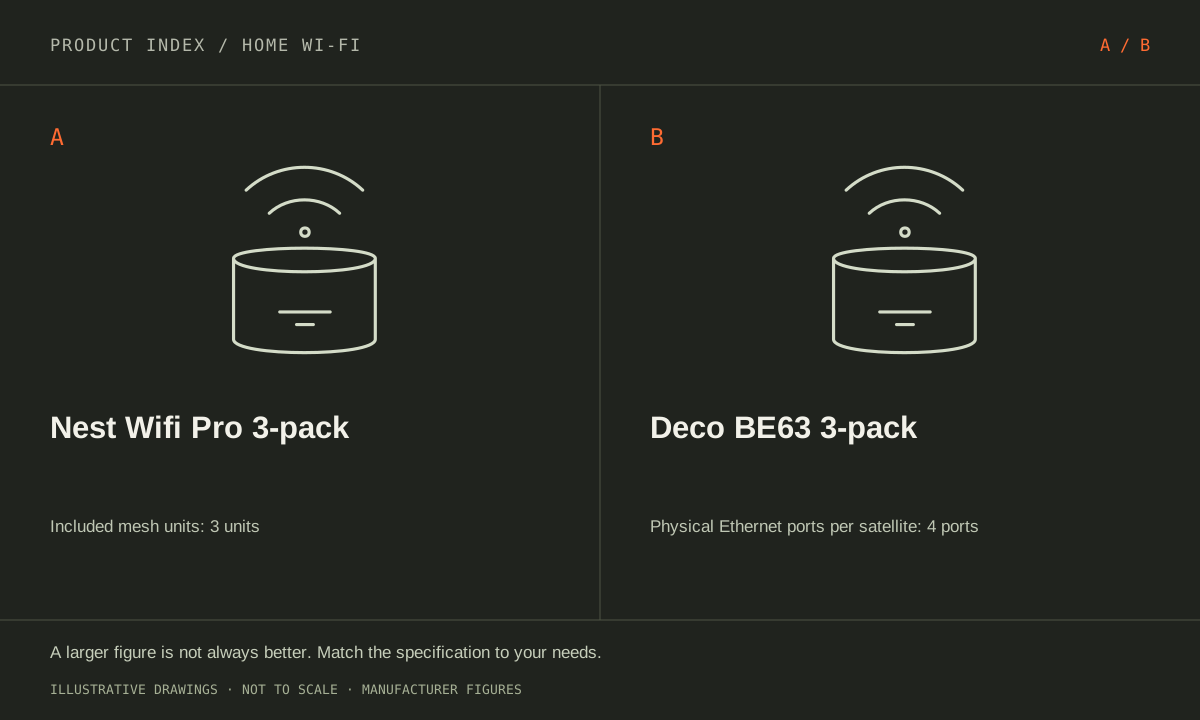
These selected packages both contain three units. Google Nest Wifi Pro is tri-band Wi-Fi 6E with gigabit Ethernet; TP-Link Deco BE63 is tri-band Wi-Fi 7 with four 2.5 GbE ports per unit. A household choosing between them should also specify the controls it will use. Google advertises included Family Wi-Fi functions; TP-Link separates HomeShield basic features from paid advanced services. Hardware generation and subscription needs are different purchase decisions.
Google Nest Wifi Pro (US; Snow three-pack)
A good fit if: A shortlist option for a three-location Google Home network within gigabit wired-link limits.
The tradeoff: The units cannot mesh with older Nest Wifi or Google Wifi products, and every Ethernet port is gigabit.
TP-Link Deco BE63 (US; 3-pack)
A good fit if: A shortlist option when remote rooms need several wired connections without adding a switch immediately.
The tradeoff: BE10000 is an aggregate radio class, not a device speed; check the hardware revision and current firmware support.
As an Amazon Associate I earn from qualifying purchases. How shopping links work.
Nest Wifi Pro 3-pack
View this model on Amazon : Google Nest Wifi Pro (US; Snow three-pack) (opens in a new tab)Exact Snow three-pack selected; not the one-router listing.Deco BE63 3-pack
View this model on Amazon : TP-Link Deco BE63 (US; 3-pack) (opens in a new tab)Check the seller, exact variant, price and included accessories.See the product photos and comparison illustration

The facts, side by side.
Manufacturer specifications for the named models. On small screens, scroll the table sideways. A blank research field means the fact was not included here, not that the manufacturer does not publish it. Conditions and differently scoped specifications are kept separate.
| What matters | Nest Wifi Pro 3-pack [1] | Deco BE63 3-pack [2] |
|---|---|---|
| Wi-Fi generation | Wi-Fi 6E | Wi-Fi 7; BE10000 theoretical radio class |
| Radio bands | Tri-band: 2.4, 5 and 6 GHz | Tri-band: 2.4, 5 and 6 GHz |
| Ethernet per unit | 2 × 1 GbE | Not included in this comparison |
| Maximum channel width | 160 MHz | 320 MHz on compatible 6 GHz operation |
| Package | 3 Nest Wifi Pro routers; Snow | 3 interchangeable Deco units; wired/wireless backhaul |
| Role | Interchangeable gateway/mesh units; Pro-family mesh only | Not included in this comparison |
| Family controls | Google Home Family Wi-Fi; stated included controls at no extra cost | Not included in this comparison |
| Gateway Ethernet ports | Not included in this comparison | 4 × 2.5 GbE; WAN/LAN auto-sensing |
| Satellite Ethernet ports | Not included in this comparison | 4 × 2.5 GbE per Deco |
Listed maximums are manufacturer claims under their stated conditions, not results from our own testing. Regional versions and bundles can differ. No live prices or stock claims are shown.
Write the control task before choosing a plan
Examples include pausing a child’s devices, scheduling offline periods or applying a particular filtering rule. Google describes schedules, internet time-outs and supported content controls at no additional cost through Google Home. Check the exact Family Wi-Fi behavior and supported devices for the rule needed. A broad parental-control label is not a promise that every website, app or device behavior can be managed in the same way. Device identification and network routing can affect the intended rule.
TP-Link provides basic HomeShield functions and optional paid services. Its current US guidance separates Advanced Parental Controls, Security+ and Total Security Package; it does not treat every advanced function as one permanently included feature. Features such as online time limits and some scheduling or filtering options require the applicable subscription. Match the specific task to the current app and hardware support. Avoid buying from a screenshot of a trial screen that does not describe ongoing access.
Manufacturer references: Nest Wifi Pro 3-pack · Deco BE63 3-pack
Review renewal and limits separately from the router box
A trial can make a feature available initially without making it part of the hardware purchase forever. TP-Link says the relevant subscriptions renew automatically unless canceled, and feature availability can depend on region and firmware. Review the plan shown for the actual account at purchase time, including cancellation and ongoing terms. We do not freeze a subscription price here because offers and terms can change. A household should know which functions remain when a trial or subscription ends.
Included network controls also are not a complete online-safety system. A device using a mobile connection or another network may follow a different path, and router-level settings have documented limits. Decide which protections belong on devices or accounts as well as the home network. Evaluate whether the intended administrator can find, understand and maintain the controls in Google Home or the Deco app. A longer feature list is not useful if it does not match the household’s actual routine.
Manufacturer references: Nest Wifi Pro 3-pack · Deco BE63 3-pack
Then check the physical network and existing equipment
Nest Wifi Pro has two gigabit ports per unit. BE63 has four auto-sensing 2.5 GbE ports per unit, allowing a different wired-backhaul and local-device arrangement. Draw the internet handoff, switches and remote rooms; count the port used by each uplink. The higher port capability matters when the endpoints and service path can use it, rather than automatically improving a slower plan. The same three-unit count does not guarantee equal coverage in an unknown floor plan.
Nest Wifi Pro cannot form a mesh with older Nest Wifi or Google Wifi units. Confirm any existing-system reuse before purchase, and check the compatible-client requirements for Deco’s Wi-Fi 7 features. Favor Nest when its gigabit hardware, Pro-family plan and included controls meet the requirement. Favor BE63 when the defined 2.5 GbE topology or compatible Wi-Fi 7 task is useful and its basic or deliberately selected paid controls fit. This comparison does not rank security effectiveness from brand labels alone.
Manufacturer references: Nest Wifi Pro 3-pack · Deco BE63 3-pack
A CLOSER LOOK AT OWNERSHIP
Beyond the specification sheet.
Additional model-specific document research checked October 20, 2026. The original comparison’s specification check date remains shown above.
Check the complete setup before ordering
The Nest Wifi Pro three-pack cannot run as a mesh with its primary router in bridge mode: Google permits primary bridge mode only for a single Wi-Fi device. Existing older Nest or Google Wifi units also cannot join this Pro mesh. Those two restrictions should settle compatibility before you compare coverage claims.
For the Deco BE63 three-pack, choose Router or Access Point mode before designing Ethernet backhaul. TP-Link’s wiring guidance distinguishes those arrangements. Identify the gateway and remaining ports at every location. Confirm the hardware version and client features relevant to your plan instead of treating the Wi-Fi 7 label as sufficient.
Sources: Nest Wifi Pro 3-pack — exact package/model information (opens in a new tab) · Google Nest Wifi Pro — exact mesh-generation compatibility (opens in a new tab) · Google Nest Wifi Pro setup — region and account requirements (opens in a new tab) · Google Nest Wifi Pro — supported Ethernet wiring arrangements (opens in a new tab) · Google Nest Wifi Pro double-NAT guidance — primary bridge mode prevents multi-device mesh (opens in a new tab) · Deco BE63 3-pack — manufacturer model information; no independent performance test (opens in a new tab) · TP-Link Deco — backhaul topology differs by operating mode (opens in a new tab) · TP-Link Deco operating-mode table — access-point mode feature restrictions (opens in a new tab)
Price the equipment you will actually use
Treat this Nest Wifi Pro package as a complete migration if replacing an older Google mesh. Include switches for crowded wired locations and any Ethernet installation. If another router must remain in charge, resolve the topology first; three purchased units do not create a supported multi-node access-point mode.
Quote the BE63 three-pack with required cable work, any switches, and the exact HomeShield features you want. Check which services require a current subscription and which operate in your chosen mode. Do not pay for a third node without identifying a useful placement and a viable connection back to the network.
Sources: Nest Wifi Pro 3-pack — exact package/model information (opens in a new tab) · Google Nest Wifi Pro — exact mesh-generation compatibility (opens in a new tab) · Google Nest Wifi Pro setup — region and account requirements (opens in a new tab) · Google Nest Wifi Pro — supported Ethernet wiring arrangements (opens in a new tab) · Google Nest Wifi Pro double-NAT guidance — primary bridge mode prevents multi-device mesh (opens in a new tab) · Deco BE63 3-pack — manufacturer model information; no independent performance test (opens in a new tab) · TP-Link Deco — backhaul topology differs by operating mode (opens in a new tab) · TP-Link Deco operating-mode table — access-point mode feature restrictions (opens in a new tab)
Plan care, parts, and the service route
Google advises buying the network equipment for the country of use. Confirm local service and seller returns, and preserve account access for the person who will manage the network. Test important printers and smart-home devices during migration. A familiar app does not establish compatibility with every older mesh component.
TP-Link’s Deco mode table excludes HomeShield, parental controls, QoS, port forwarding, and address reservations in access-point mode. Mesh coverage and supported Ethernet backhaul remain available. A BE63 used behind another router can therefore meet the coverage plan while failing the parental-control plan; paying for a service does not change the documented mode restriction.
Sources: Nest Wifi Pro 3-pack — exact package/model information (opens in a new tab) · Google Nest Wifi Pro — exact mesh-generation compatibility (opens in a new tab) · Google Nest Wifi Pro setup — region and account requirements (opens in a new tab) · Google Nest Wifi Pro — supported Ethernet wiring arrangements (opens in a new tab) · Google Nest Wifi Pro double-NAT guidance — primary bridge mode prevents multi-device mesh (opens in a new tab) · Deco BE63 3-pack — manufacturer model information; no independent performance test (opens in a new tab) · TP-Link Deco — backhaul topology differs by operating mode (opens in a new tab) · TP-Link Deco operating-mode table — access-point mode feature restrictions (opens in a new tab)
What rules each option out—and when to keep what you own
This comparison should begin with a complete three-node migration plan. Nest Wifi Pro cannot retain older Google or Nest units as mesh nodes, while Deco requires its own documented topology. Rule out a proposed installation if it depends on unsupported mixed-platform meshing or if the desired management feature is unavailable in the operating mode required by your ISP equipment.
Keep the existing network when it covers the household’s actual needs. Wi-Fi 7 on the Deco side is useful only in a supported setup with relevant clients or links; it does not fix outside-service limits. Compare required account setup, Ethernet paths, optional services, and the labor of reconnecting devices alongside hardware, particularly if changing the household’s established management app.
Sources: Nest Wifi Pro 3-pack — exact package/model information (opens in a new tab) · Google Nest Wifi Pro — exact mesh-generation compatibility (opens in a new tab) · Google Nest Wifi Pro setup — region and account requirements (opens in a new tab) · Google Nest Wifi Pro — supported Ethernet wiring arrangements (opens in a new tab) · Google Nest Wifi Pro double-NAT guidance — primary bridge mode prevents multi-device mesh (opens in a new tab) · Deco BE63 3-pack — manufacturer model information; no independent performance test (opens in a new tab) · TP-Link Deco — backhaul topology differs by operating mode (opens in a new tab) · TP-Link Deco operating-mode table — access-point mode feature restrictions (opens in a new tab)
THE REST OF THE BUYING DECISION
Think beyond the upgrade.
A good home network delivers dependable service where people use it. The largest advertised speed or a newer Wi-Fi generation is not automatically the solution to a slow bedroom, unreliable call, or busy household. Start by identifying where the problem occurs, then compare coverage, wired connections, client support, configuration, and ownership costs. This is a documented buying framework, not a claim that we measured these routers in your home.
The home wi-fi field guide covers the broader ownership questions, with source-specific examples. It complements this exact-model comparison; its examples do not establish features or policies for every model here.
MAKE IT YOUR DECISION
Your before-you-buy checklist.
Use this as a final check, alongside the model-specific evidence above.
Check off the questions you have resolved. Nothing is sent to a server.
Before you place the order.
- Match the full model name and generation. A similarly named bundle may have different accessories.
- Confirm the total price, seller, warranty eligibility, delivery estimate, and return terms at checkout.
- Account for any accessories or compatible equipment your setup needs. An upgrade only has value if you will use it.
Your product questions, answered.
Does BE63 require a subscription just to provide Wi-Fi?
No. HomeShield includes basic functions; paid advanced services are separate. Check the exact feature needed and current terms.
Can the Nest kit reuse older Google Wifi units in the same mesh?
No. Nest Wifi Pro forms its mesh with Nest Wifi Pro units, not previous-generation Nest Wifi or Google Wifi.
Can I combine Nest Wifi Pro and Deco as one mesh?
Do not plan a cross-platform mesh. Follow each manufacturer’s supported topology; Ethernet connectivity between network devices does not establish a shared mesh-management system.
Sources: Nest Wifi Pro 3-pack — exact package/model information (opens in a new tab) · Google Nest Wifi Pro — exact mesh-generation compatibility (opens in a new tab) · Google Nest Wifi Pro setup — region and account requirements (opens in a new tab) · Google Nest Wifi Pro — supported Ethernet wiring arrangements (opens in a new tab) · Google Nest Wifi Pro double-NAT guidance — primary bridge mode prevents multi-device mesh (opens in a new tab) · Deco BE63 3-pack — manufacturer model information; no independent performance test (opens in a new tab) · TP-Link Deco — backhaul topology differs by operating mode (opens in a new tab) · TP-Link Deco operating-mode table — access-point mode feature restrictions (opens in a new tab)
Can Nest Wifi Pro retain my older Google nodes?
Google says Nest Wifi Pro does not mesh with previous Google Wifi or Nest Wifi models. Account for replacing those nodes if they currently provide necessary coverage.
Sources: Nest Wifi Pro 3-pack — exact package/model information (opens in a new tab) · Google Nest Wifi Pro — exact mesh-generation compatibility (opens in a new tab) · Google Nest Wifi Pro setup — region and account requirements (opens in a new tab) · Google Nest Wifi Pro — supported Ethernet wiring arrangements (opens in a new tab) · Google Nest Wifi Pro double-NAT guidance — primary bridge mode prevents multi-device mesh (opens in a new tab) · Deco BE63 3-pack — manufacturer model information; no independent performance test (opens in a new tab) · TP-Link Deco — backhaul topology differs by operating mode (opens in a new tab) · TP-Link Deco operating-mode table — access-point mode feature restrictions (opens in a new tab)
Does buying three BE63 units give every device Wi-Fi 7?
No. Client hardware and software determine supported features. Older clients continue to use their own supported modes, and actual performance depends on the network path.
Sources: Nest Wifi Pro 3-pack — exact package/model information (opens in a new tab) · Google Nest Wifi Pro — exact mesh-generation compatibility (opens in a new tab) · Google Nest Wifi Pro setup — region and account requirements (opens in a new tab) · Google Nest Wifi Pro — supported Ethernet wiring arrangements (opens in a new tab) · Google Nest Wifi Pro double-NAT guidance — primary bridge mode prevents multi-device mesh (opens in a new tab) · Deco BE63 3-pack — manufacturer model information; no independent performance test (opens in a new tab) · TP-Link Deco — backhaul topology differs by operating mode (opens in a new tab) · TP-Link Deco operating-mode table — access-point mode feature restrictions (opens in a new tab)
What should I prepare before migration?
Record existing network settings and important connected devices, decide the supported routing topology, and plan account ownership and node locations. Verify the new system before retiring the working installation.
Sources: Nest Wifi Pro 3-pack — exact package/model information (opens in a new tab) · Google Nest Wifi Pro — exact mesh-generation compatibility (opens in a new tab) · Google Nest Wifi Pro setup — region and account requirements (opens in a new tab) · Google Nest Wifi Pro — supported Ethernet wiring arrangements (opens in a new tab) · Google Nest Wifi Pro double-NAT guidance — primary bridge mode prevents multi-device mesh (opens in a new tab) · Deco BE63 3-pack — manufacturer model information; no independent performance test (opens in a new tab) · TP-Link Deco — backhaul topology differs by operating mode (opens in a new tab) · TP-Link Deco operating-mode table — access-point mode feature restrictions (opens in a new tab)
Sources & limitations.
Original comparison research: October 18, 2026. Individual product-source checks and ownership additions carry their own dates. These links identify the manufacturer evidence used for the specifications. Recommendations and practical implications are our editorial judgments. We have not measured performance, reliability, comfort, or long-term ownership for this comparison.
- Google Nest Wifi Pro (US; Snow three-pack) — manufacturer specifications (opens in a new tab)
Nest Wifi Pro included controls (opens in a new tab)
Google Family Wi-Fi control behavior (opens in a new tab)
Checked October 18, 2026. - TP-Link Deco BE63 (US; 3-pack) — manufacturer specifications (opens in a new tab)
Coverage numbers differ across TP-Link documents and pack sizes. This comparison uses verified port counts instead of treating those footprint claims as a range benchmark.
TP-Link BE63 current US datasheet (opens in a new tab)
Checked October 18, 2026.
Additional references
- TP-Link current HomeShield plans (opens in a new tab)
- TP-Link current parental-control feature distinctions (opens in a new tab)
Confirm current specifications for your region and exact bundle. Read our research and correction approach.