THE DIFFERENCES THAT MATTER
GoPro HERO13 Black vs DJI Osmo Action 5 Pro: lenses or front controls?
Compare exact action cameras on useful recording modes, underwater limits, storage and the accessories your activity needs.
Researched from manufacturer sources. These products have not been hands-on tested for this article.
START HERE
Do you need GoPro’s lens and GPS options or DJI’s internal storage and front touchscreen?
GoPro’s HERO13 Black and DJI’s Osmo Action 5 Pro can both record high-frame-rate 4K, but their useful differences extend beyond a resolution label. GoPro offers normal 5.3K60 recording, GPS telemetry and optional HB-Series lens accessories. DJI supplies front and rear touchscreens and available internal storage. This comparison uses the GoPro standard camera package and DJI Standard Combo; larger retailer kits add batteries, mounts or other equipment that deserve a separate contents check.
GoPro HERO13 Black (standard camera package)
A good fit if: A shortlist option when 5.3K capture, GPS overlays, or a specific compatible HB-Series lens solves your filming task.
The tradeoff: Lens accessories cost extra, and burst slow-motion claims are different from normal sustained recording modes.
DJI Osmo Action 5 Pro (Standard Combo)
A good fit if: A shortlist option when front touch controls, internal storage, or the greater published un-housed depth fits the activity.
The tradeoff: Subject-tracking and stabilization modes have their own resolution and frame-rate limits; 4K120 does not apply to every feature.
As an Amazon Associate I earn from qualifying purchases. How shopping links work.
HERO13 Black
View this model on Amazon : GoPro HERO13 Black (standard camera package) (opens in a new tab)Check the seller, exact variant, price and included accessories.Osmo Action 5 Pro
View this model on Amazon : DJI Osmo Action 5 Pro (Standard Combo) (opens in a new tab)Check the seller, exact variant, price and included accessories.See the product photos and comparison illustration
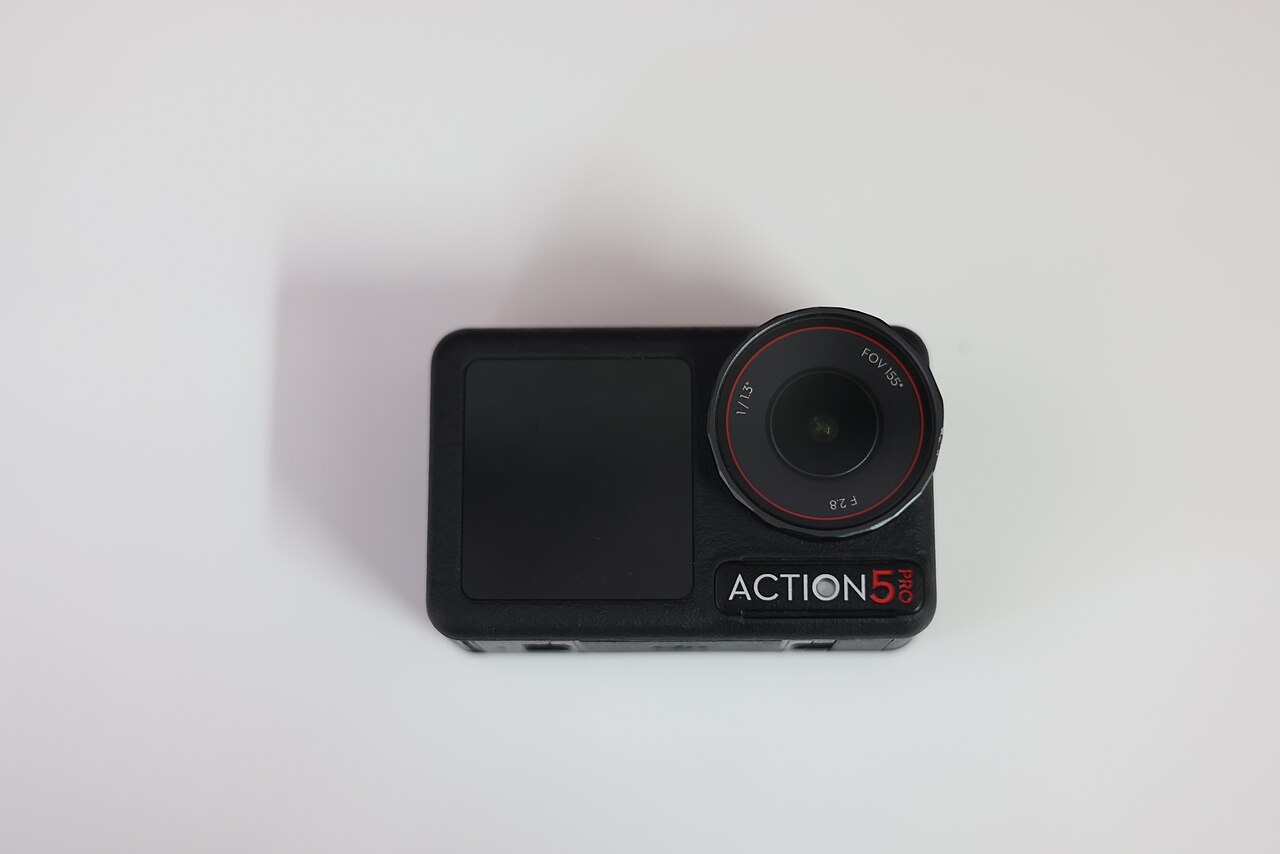
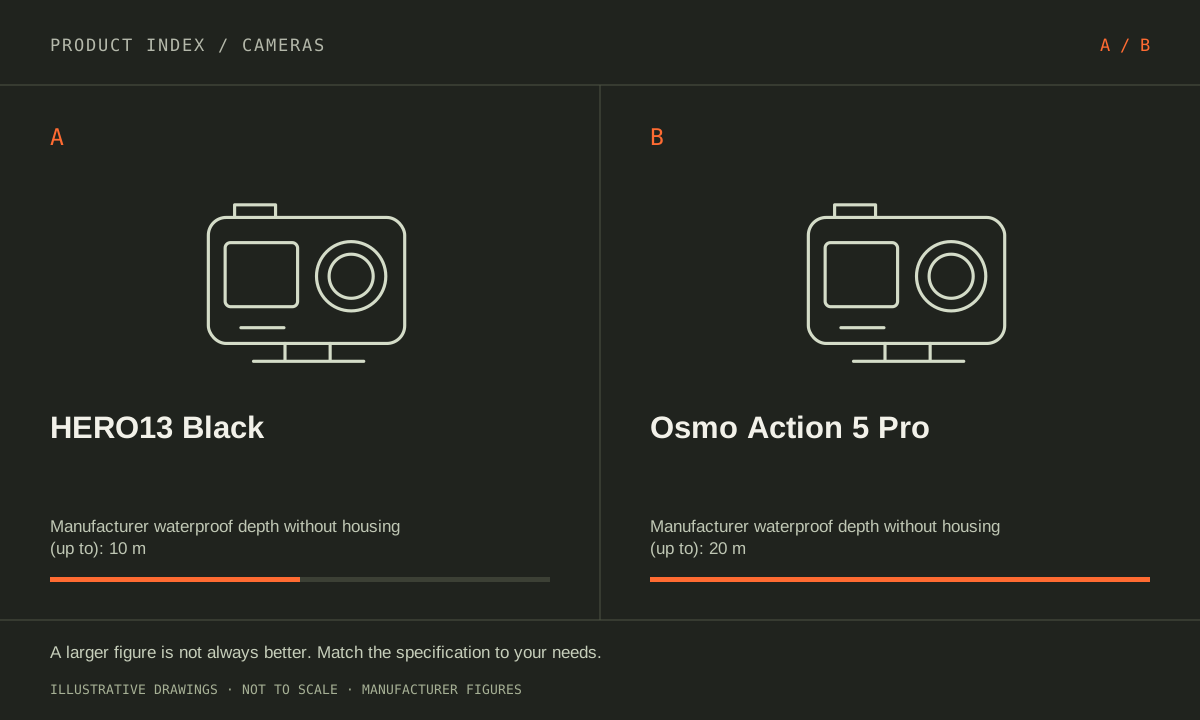
The facts, side by side.
Manufacturer specifications for the named models. On small screens, scroll the table sideways. A blank research field means the fact was not included here, not that the manufacturer does not publish it. Conditions and differently scoped specifications are kept separate.
| What matters | HERO13 Black [1] | Osmo Action 5 Pro [2] |
|---|---|---|
| Video option | 5.3K up to 60 fps; 4K up to 120 fps in normal recording | 4K up to 120 fps in 16:9 or 4:3 normal recording |
| Effective resolution | 27 MP | Approximately 40 MP |
| Waterproof without housing | Up to 10 m / 33 ft; closed door and care requirements apply | Up to 20 m; closed covers and care requirements apply |
| Screens | Rear touchscreen; front color preview screen | Front and rear OLED touchscreens |
| Distinctive feature | GPS telemetry; optional HB-Series lens modifications | 47 GB available built-in storage; microSD expansion |
| Stabilization | HyperSmooth electronic stabilization; mode limits apply | RockSteady 3.0 / Horizon modes; mode limits apply |
Listed maximums are manufacturer claims under their stated conditions, not results from our own testing. Regional versions and bundles can differ. No live prices or stock claims are shown.
Choose the capture mode around the shot
HERO13 Black records normal 5.3K video up to 60 fps and 4K up to 120 fps. Action 5 Pro offers 4K up to 120 fps in 16:9 and 4:3 modes. A higher source resolution can provide room to crop, but it does not by itself settle detail, low-light quality, stabilization or the final image after editing. Plan the actual framing and delivery format first.
GoPro’s burst slow-motion claims describe different modes from sustained normal recording. DJI’s Subject Tracking, HorizonSteady and other stabilization choices also have their own resolution or frame-rate restrictions. Make a short shot list—helmet view, handheld explanation, fixed scene—and check the required feature combination for each. Do not combine the maximum frame rate, tracking feature and strongest horizon control into one assumed mode without checking the manual.
Manufacturer references: HERO13 Black · Osmo Action 5 Pro
Water depth is a limit with conditions, not a durability score
GoPro states up to 10 m without housing for HERO13 Black. DJI states up to 20 m without its waterproof case for Action 5 Pro. Both require correctly closed covers and appropriate care. DJI recommends a case for extended underwater filming or high water impact pressure, so the greater printed depth is not permission to ignore the conditions of a dive or water sport.
Use the maker’s preparation and rinsing instructions, inspect sealing surfaces and identify how you will operate the camera underwater. A touchscreen feature on land does not guarantee convenient control during a dive. For activities with impacts, salt water or extended immersion, select the appropriate protection and mount as part of the kit. The depth specification does not rank long-term reliability, scratch resistance or how either camera survives a particular accident.
Manufacturer references: HERO13 Black · Osmo Action 5 Pro
Storage, controls and accessories change the daily routine
DJI lists 64 GB built-in storage with 47 GB available, plus microSD expansion. That reserve can be useful when a card is forgotten or full. Its front touchscreen also allows adjustments while facing the camera. GoPro’s front screen provides a preview, and its GPS feature can supply telemetry for supported overlays. Choose these around an activity you actually record rather than collecting feature names.
HB-Series lenses are optional purchases for HERO13 Black, and the appropriate lens changes the equipment and settings needed for a shot. Compare compatible mounts, spare batteries, charging arrangements and exact bundle contents on both sides. Also check current app and phone requirements for transfers and editing. Favor GoPro for a specific lens or GPS workflow. Favor DJI when front touch operation, internal storage or the documented underwater setup fits the need. No shared image-quality or battery-life test is claimed here.
Manufacturer references: HERO13 Black · Osmo Action 5 Pro
A CLOSER LOOK AT OWNERSHIP
Beyond the specification sheet.
Additional model-specific document research checked October 20, 2026. The original comparison’s specification check date remains shown above.
Check the complete setup before ordering
For HERO13 Black, verify each mount, battery, and lens accessory by generation. GoPro’s HB-Series collection explicitly identifies HERO13 Black compatibility. Decide which accessory changes the shot you need, then check the recording and protection restrictions with it fitted rather than transferring bare-camera assumptions to every configuration.
DJI’s Action 5 Pro FAQ makes underwater use conditional on closed covers and an intact, tightened lens cover, and recommends a case for certain conditions. Plan the actual activity rather than choosing from the maximum depth alone. Check the mounting and microphone arrangement in the configuration you will use.
Sources: HERO13 Black — manufacturer model information; no independent performance test (opens in a new tab) · GoPro HB-Series lens collection — exact HERO13 Black compatibility (opens in a new tab) · Osmo Action 5 Pro — manufacturer model information; no independent performance test (opens in a new tab) · DJI Action 5 Pro FAQ — underwater conditions and accessories (opens in a new tab)
Price the equipment you will actually use
Quote HERO13 Black with the mounts, approved cards, spare power, and lens accessories your activity requires. Add any optional subscription only after checking the particular service you want and its renewal terms. A standard camera package and a large creator bundle should be compared item by item.
Price Action 5 Pro as the chosen Standard Combo plus required mounts, spare power, cards, or underwater case. Identify which accessories from older cameras are explicitly supported. If considering optional care coverage, check its eligibility window, replacement fees, and region rather than treating the plan name as unlimited protection.
Sources: HERO13 Black — manufacturer model information; no independent performance test (opens in a new tab) · GoPro HB-Series lens collection — exact HERO13 Black compatibility (opens in a new tab) · Osmo Action 5 Pro — manufacturer model information; no independent performance test (opens in a new tab) · DJI Action 5 Pro FAQ — underwater conditions and accessories (opens in a new tab)
Plan care, parts, and the service route
Inspect the HERO13 door, seals, lens cover, and mounting hardware as the exact manual directs. Ask GoPro which water or impact damage is covered by the chosen service, and whether an optional replacement plan charges a fee. A rugged-camera label is not a blanket damage warranty.
Follow the Action 5 Pro FAQ’s rinse-and-dry guidance after the applicable underwater use, and inspect covers before the next session. Ask DJI about service for accidental damage versus manufacturing defects. Its published use limits do not establish that a particular damaged or improperly closed camera remains protected.
Sources: HERO13 Black — manufacturer model information; no independent performance test (opens in a new tab) · GoPro HB-Series lens collection — exact HERO13 Black compatibility (opens in a new tab) · Osmo Action 5 Pro — manufacturer model information; no independent performance test (opens in a new tab) · DJI Action 5 Pro FAQ — underwater conditions and accessories (opens in a new tab)
What rules each option out—and when to keep what you own
The accessory plan can settle this comparison before image preferences do. GoPro’s HB-Series lenses are specified for HERO13 Black; do not assume those attachments transfer to DJI or an older GoPro. For water use, follow each camera’s exact enclosure and operating conditions. A waterproof specification is conditional and does not promise damage coverage for every activity.
Keep an existing action camera if it already captures the required activity and the proposed upgrade mainly adds unused modes. Inventory mounts, cases, batteries, chargers, and lenses that would need replacing. For either choice, practice securing the mount and recording with the intended settings on land before depending on a new setup during an important outing.
Sources: HERO13 Black — manufacturer model information; no independent performance test (opens in a new tab) · GoPro HB-Series lens collection — exact HERO13 Black compatibility (opens in a new tab) · Osmo Action 5 Pro — manufacturer model information; no independent performance test (opens in a new tab) · DJI Action 5 Pro FAQ — underwater conditions and accessories (opens in a new tab)
THE REST OF THE BUYING DECISION
Think beyond the upgrade.
A camera purchase includes a lens system, a way to capture sound, a storage workflow, and equipment you must be willing to carry. Begin with the shots your current kit cannot reliably deliver. This guide uses official Canon documentation for concrete examples while keeping the decision process applicable across brands. Specifications do not substitute for our own image-quality, autofocus, or endurance testing, which we do not claim here.
The cameras field guide covers the broader ownership questions, with source-specific examples. It complements this exact-model comparison; its examples do not establish features or policies for every model here.
MAKE IT YOUR DECISION
Your before-you-buy checklist.
Use this as a final check, alongside the model-specific evidence above.
Check off the questions you have resolved. Nothing is sent to a server.
Before you place the order.
- Match the full model name and generation. A similarly named bundle may have different accessories.
- Confirm the total price, seller, warranty eligibility, delivery estimate, and return terms at checkout.
- Account for any accessories or compatible equipment your setup needs. An upgrade only has value if you will use it.
Your product questions, answered.
Does Action 5 Pro provide all 64 GB for footage?
DJI lists 64 GB built-in storage with 47 GB available for use. A compatible microSD card can expand storage.
Can every stabilization mode be used at 4K120?
No. Check each camera’s mode table. DJI’s HorizonSteady and HorizonBalancing, for example, have specific resolution and frame-rate limits.
Do GoPro HB-Series lenses fit older GoPros or DJI?
The cited GoPro collection specifies HERO13 Black compatibility. Do not buy these attachments on the assumption that action-camera size or brand similarity establishes interchangeability.
Sources: HERO13 Black — manufacturer model information; no independent performance test (opens in a new tab) · GoPro HB-Series lens collection — exact HERO13 Black compatibility (opens in a new tab) · Osmo Action 5 Pro — manufacturer model information; no independent performance test (opens in a new tab) · DJI Action 5 Pro FAQ — underwater conditions and accessories (opens in a new tab)
Is a waterproof rating permission for every water sport?
No. Read the exact conditions, cover and lens requirements, and restrictions for the activity. DJI’s FAQ distinguishes body use from use with the waterproof case.
Sources: HERO13 Black — manufacturer model information; no independent performance test (opens in a new tab) · GoPro HB-Series lens collection — exact HERO13 Black compatibility (opens in a new tab) · Osmo Action 5 Pro — manufacturer model information; no independent performance test (opens in a new tab) · DJI Action 5 Pro FAQ — underwater conditions and accessories (opens in a new tab)
What should happen after water use?
Follow the exact manufacturer cleaning and drying procedure before opening covers or charging. DJI provides specific water-use precautions; do not substitute a generic routine for either camera’s instructions.
Sources: HERO13 Black — manufacturer model information; no independent performance test (opens in a new tab) · GoPro HB-Series lens collection — exact HERO13 Black compatibility (opens in a new tab) · Osmo Action 5 Pro — manufacturer model information; no independent performance test (opens in a new tab) · DJI Action 5 Pro FAQ — underwater conditions and accessories (opens in a new tab)
What is the complete cost of changing systems?
Count activity-specific mounts, batteries, chargers, housings, lens accessories, cards, and storage. Reuse should be verified item by item instead of assumed from a mount that looks similar.
Sources: HERO13 Black — manufacturer model information; no independent performance test (opens in a new tab) · GoPro HB-Series lens collection — exact HERO13 Black compatibility (opens in a new tab) · Osmo Action 5 Pro — manufacturer model information; no independent performance test (opens in a new tab) · DJI Action 5 Pro FAQ — underwater conditions and accessories (opens in a new tab)
Sources & limitations.
Original comparison research: October 18, 2026. Individual product-source checks and ownership additions carry their own dates. These links identify the manufacturer evidence used for the specifications. Recommendations and practical implications are our editorial judgments. We have not measured performance, reliability, comfort, or long-term ownership for this comparison.
- GoPro HERO13 Black (standard camera package) — manufacturer specifications (opens in a new tab)
GoPro HERO13 waterproof limits and care (opens in a new tab)
GoPro HERO13 launch specifications (opens in a new tab)
Checked October 18, 2026. - DJI Osmo Action 5 Pro (Standard Combo) — manufacturer specifications (opens in a new tab)
Checked October 18, 2026.
Confirm current specifications for your region and exact bundle. Read our research and correction approach.