THE DIFFERENCES THAT MATTER
DJI Osmo Pocket 3 vs Canon EOS R50 kit: gimbal or interchangeable lens?
Compare two complete starting points for solo video around lens flexibility, support equipment and still-photo needs.
Researched from manufacturer sources. These products have not been hands-on tested for this article.
START HERE
Do you want a compact fixed-view video tool or a lens system that can grow around different subjects?
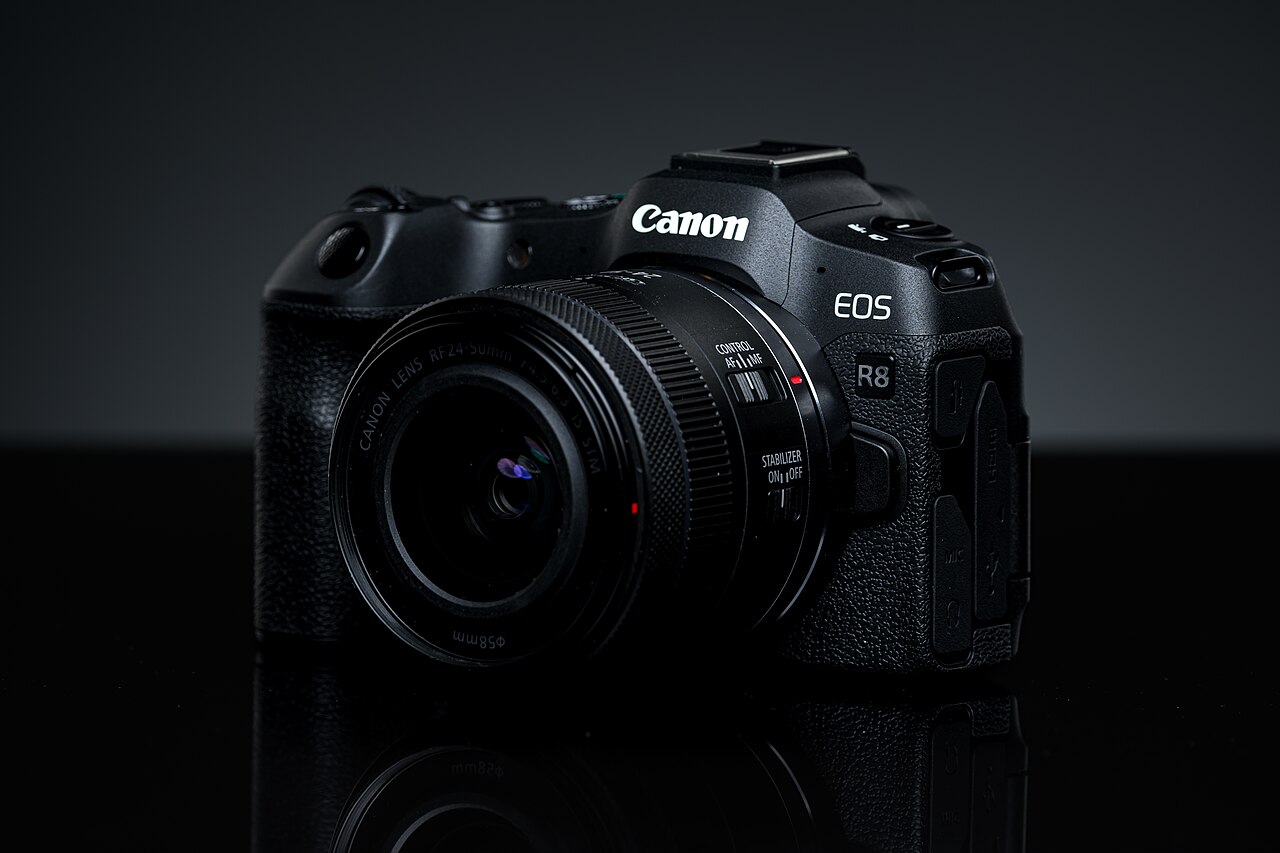
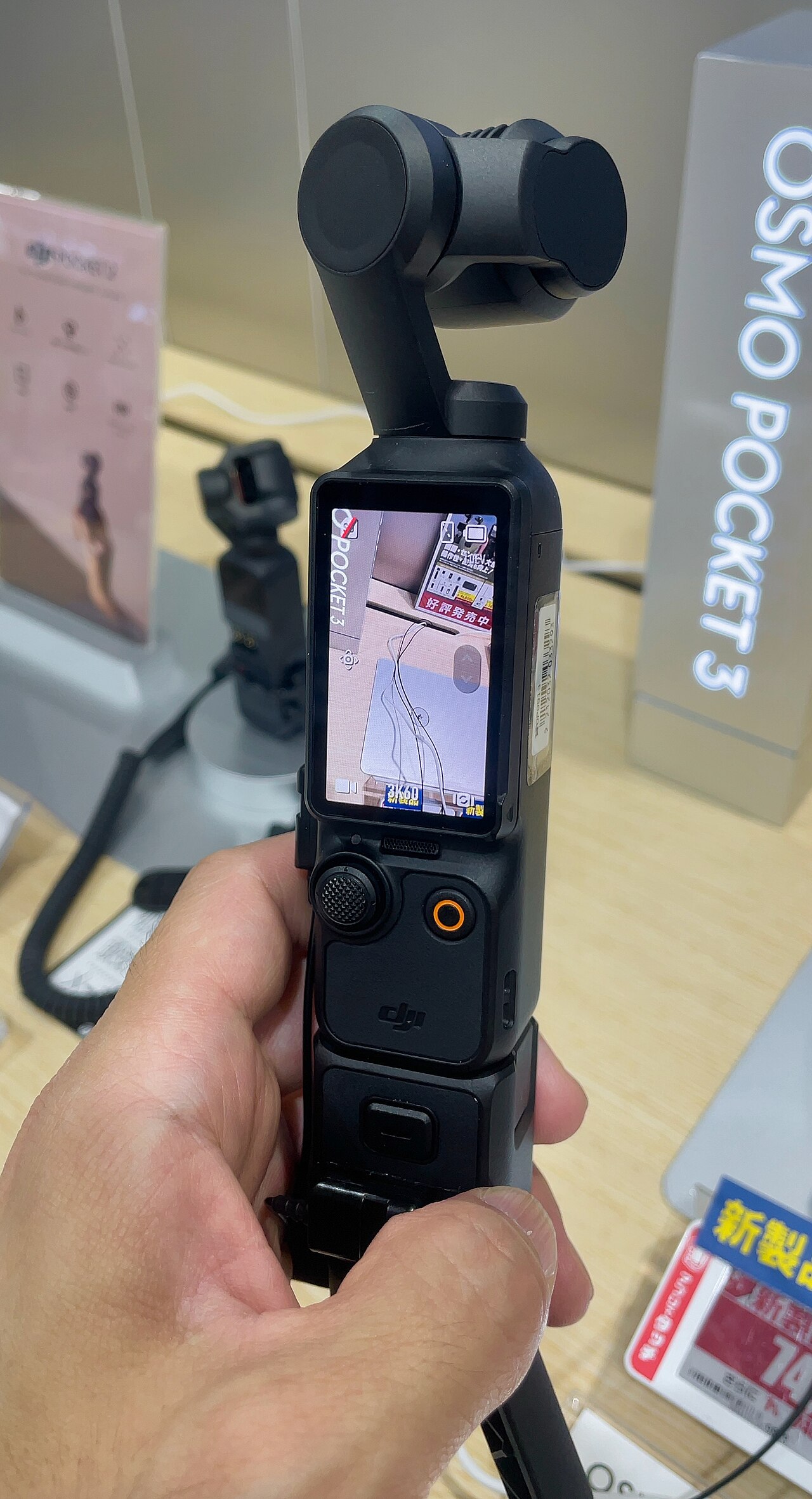
DJI Osmo Pocket 3 integrates a fixed lens, rotating screen and three-axis mechanical gimbal in a 179 g camera. Canon’s EOS R50 18–45 mm kit combines an APS-C interchangeable-lens body with a retractable zoom. These are complete starting points for different jobs, not equal camera bodies with a simple sensor winner. The linked Pocket package is standard, while the Canon link includes the specified lens.
DJI Osmo Pocket 3 (standard camera package)
A good fit if: A shortlist option for a compact fixed-lens video routine with a built-in mechanical gimbal.
The tradeoff: The standard package is not Creator Combo, and its fixed lens cannot provide optical zoom or interchangeable-lens choices.
Canon EOS R50 with RF-S18-45mm F4.5-6.3 IS STM (black US kit)
A good fit if: A shortlist option for a first R50 purchase that needs a compatible general-purpose zoom immediately.
The tradeoff: The lens is a specific modest-aperture zoom; a kit label does not mean every lens a buyer may eventually need.
As an Amazon Associate I earn from qualifying purchases. How shopping links work.
DJI Osmo Pocket 3
View this model on Amazon : DJI Osmo Pocket 3 (standard camera package) (opens in a new tab)Standard camera package, not Creator Combo; 4K120 is a Slow Motion mode.EOS R50 18–45 kit
View this model on Amazon : Canon EOS R50 with RF-S18-45mm F4.5-6.3 IS STM (black US kit) (opens in a new tab)Black R50 with RF-S18–45 mm lens; not the body-only listing.See the product photos and comparison illustration
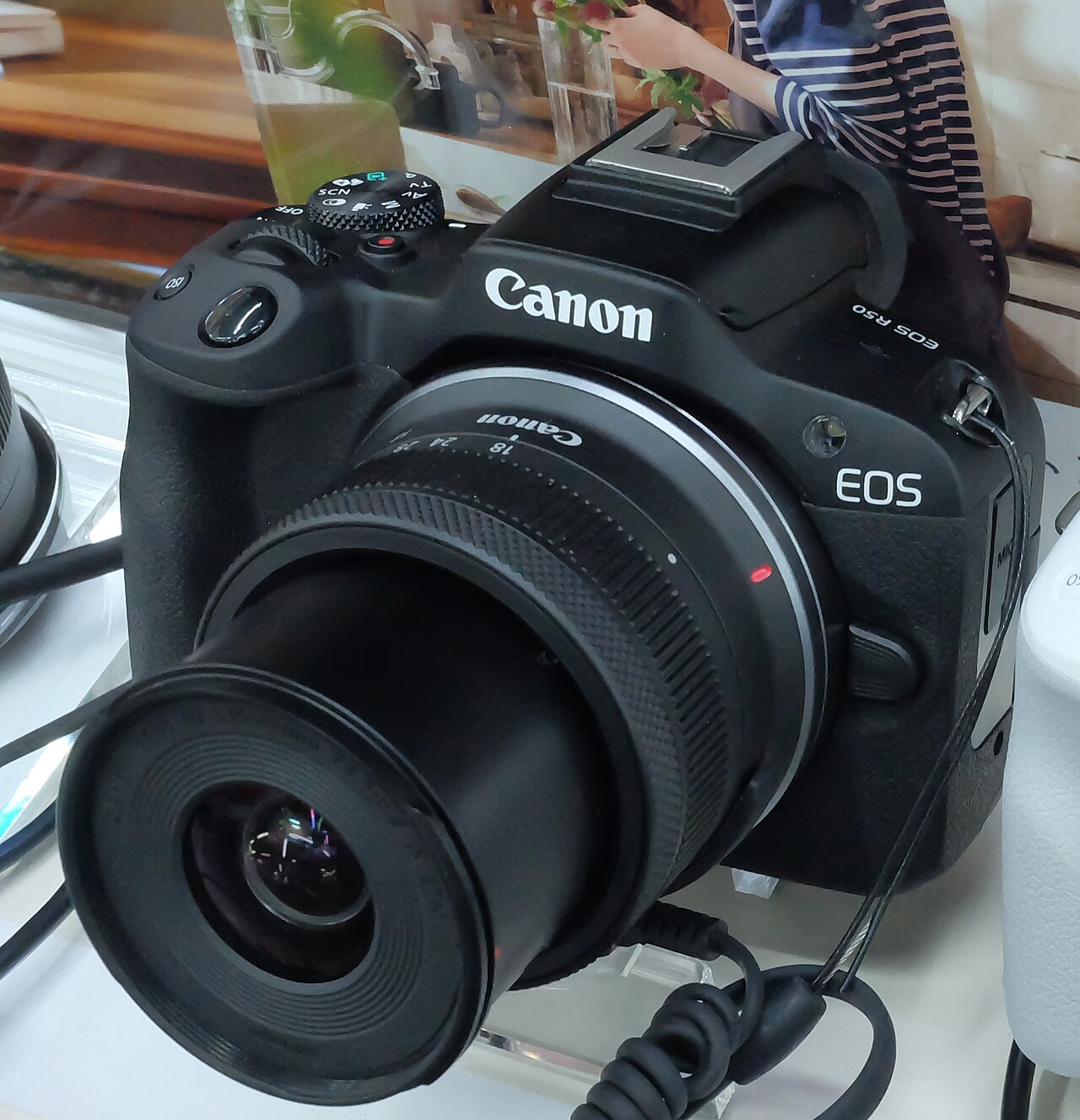
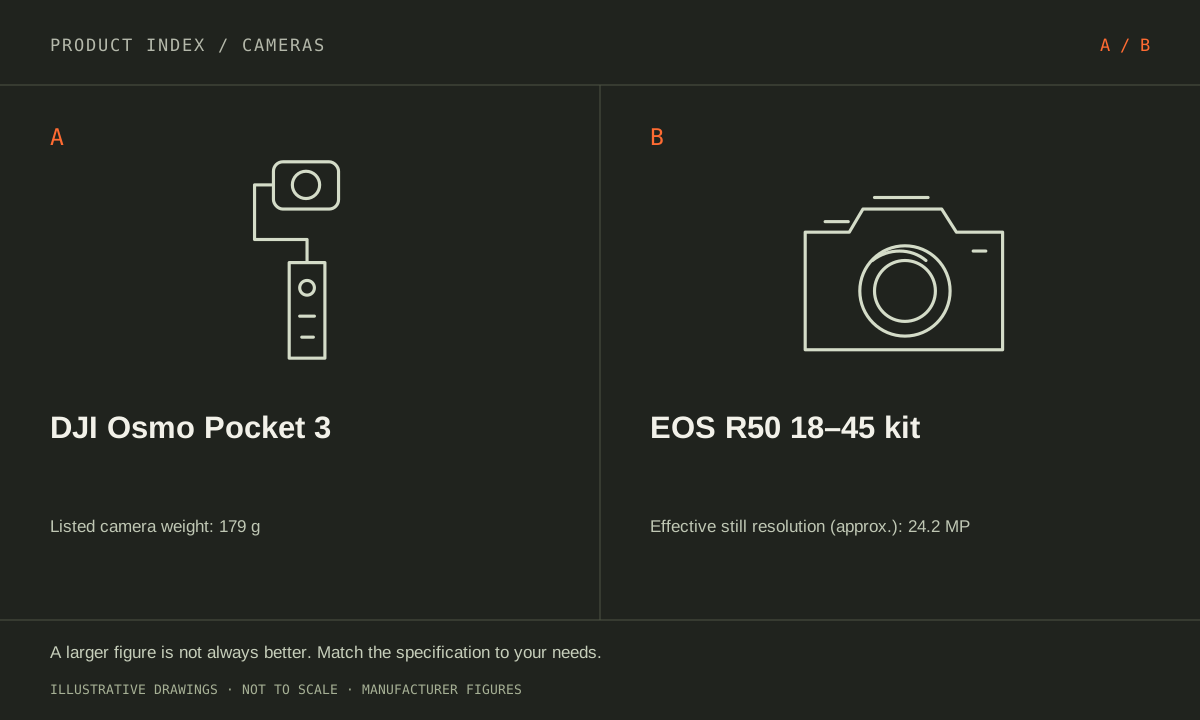
The facts, side by side.
Manufacturer specifications for the named models. On small screens, scroll the table sideways. A blank research field means the fact was not included here, not that the manufacturer does not publish it. Conditions and differently scoped specifications are kept separate.
| What matters | DJI Osmo Pocket 3 [1] | EOS R50 18–45 kit [2] |
|---|---|---|
| Effective resolution | Approximately 9.4 megapixels | Approximately 24.2 megapixels |
| Sensor and lens | 1-inch-type CMOS; fixed 20 mm-equivalent f/2 lens | Not included in this comparison |
| Listed camera weight | 179 g | Not included in this comparison |
| Screen | 2-inch rotating touchscreen | Not included in this comparison |
| Stabilization | Three-axis mechanical gimbal | No sensor-shift IBIS; supplied lens has optical IS |
| Video modes | Normal 4K up to 60 fps; 4K120 in Slow Motion only | Not included in this comparison |
| Storage | microSD card; compatible card required | Not included in this comparison |
| Sensor format | Not included in this comparison | APS-C; Canon RF/RF-S mount |
| Body with battery/card | Not included in this comparison | Approximately 375 g; supplied lens adds approximately 130 g |
| Viewfinder and screen | Not included in this comparison | Electronic viewfinder; vari-angle touchscreen |
| Included lens | Not included in this comparison | RF-S18-45mm F4.5-6.3 IS STM; retractable zoom |
| Package | Not included in this comparison | Black R50 camera and specified 18–45 mm lens |
Listed maximums are manufacturer claims under their stated conditions, not results from our own testing. Regional versions and bundles can differ. No live prices or stock claims are shown.
A fixed view simplifies packing but limits framing choices
Pocket 3 uses a fixed 20 mm-equivalent f/2 lens. Its built-in gimbal changes camera orientation and helps address camera movement, but it is not optical zoom. Decide whether that field of view suits the recording distance and room. A person walking and talking at arm’s length faces a different framing problem from someone filming a distant speaker or a close-up product detail. A small camera cannot remove the need for a suitable position.
R50’s included RF-S18–45 mm lens changes focal length, and the RF mount permits other compatible lenses later. The supplied zoom has an F4.5–6.3 maximum aperture range; it is not a substitute for every portrait, wide-room or distant-subject lens. Choose around actual framing needs rather than treating interchangeable lenses as free flexibility. Any additional lens adds cost, carrying space and a decision about which equipment must be ready during a shoot.
Manufacturer references: DJI Osmo Pocket 3 · EOS R50 18–45 kit
Mechanical gimbal and lens stabilization are different tools
Pocket 3 integrates three-axis mechanical stabilization and a rotating two-inch touchscreen. R50 has no sensor-shift IBIS; the supplied lens has optical stabilization. These features are not interchangeable promises about walking footage. Lens stabilization, a tripod, electronic stabilization and an external gimbal address different camera-motion problems and can impose their own framing or equipment constraints. Establish the intended camera movement, then review the exact supported mode and practical setup for that shot.
Pocket 3’s normal recording reaches 4K60, while 4K120 is a Slow Motion mode. Do not plan a production around ordinary 4K120 capture with every other feature enabled. For either camera, check microphone connections, recording settings, card requirements and the route into the editor. A phone-style spontaneous clip and a carefully monitored interview can require different audio equipment. The standard Pocket package is not Creator Combo, so an assumed extra microphone or battery handle may be absent.
Manufacturer references: DJI Osmo Pocket 3 · EOS R50 18–45 kit
Still photographs and the complete carry can settle it
Canon lists approximately 24.2 effective megapixels; DJI lists around 9.4 for Pocket 3 stills. That is a meaningful source-pixel distinction for a mixed photography purchase, but not a complete image-quality comparison. R50 also offers an electronic viewfinder. If family photographs, interchangeable-lens portraits or eye-level composing are central alongside video, include those uses explicitly. A camera chosen only for a walking-video feature may not meet the still-photo work expected from the same purchase.
The R50 body is about 375 g with battery and card, and its supplied lens adds roughly 130 g, producing an approximate 505 g sum before caps or other accessories. Pocket 3’s published 179 g is the camera itself. Compare the complete microphone, tripod, bag and spare-power kits rather than those weights alone. Favor Pocket for a defined fixed-view gimbal-video routine. Favor R50’s kit when the lens range, viewfinder and broader still-photo system are needed enough to justify the additional equipment.
Manufacturer references: DJI Osmo Pocket 3 · EOS R50 18–45 kit
A CLOSER LOOK AT OWNERSHIP
Beyond the specification sheet.
Additional model-specific document research checked October 20, 2026. The original comparison’s specification check date remains shown above.
Check the complete setup before ordering
Pocket 3 requires attention to activation and storage before the first outing. DJI’s support page directs activation through DJI Mimo and states that a microSD card supplies recording storage. Confirm your phone can run the required app and rehearse activation before treating the camera as a ready-to-use travel purchase.
The R50 18–45 mm kit includes a specific starter lens, so evaluate its framing in the room or travel situation you actually use. Test the wide end with your intended video stabilization and camera distance. The same R50 body does not make a kit lens suitable for every subject.
Sources: DJI Osmo Pocket 3 — manufacturer model information; no independent performance test (opens in a new tab) · DJI Pocket 3 support — activation, storage, charging, and service routes (opens in a new tab) · EOS R50 18–45 kit — manufacturer model information; no independent performance test (opens in a new tab) · Canon R50 US support — exact lens, maintenance, and warranty information (opens in a new tab) · Canon R50 manual — recording limits and digital stabilization crop (opens in a new tab)
Price the equipment you will actually use
Price the standard Pocket 3 package against the exact accessories you need: a suitable card, microphone arrangement, support, and any battery handle. Do not count Creator Combo contents as included in the standard package. Compare the finished recording setup with an interchangeable-lens camera kit rather than comparing bare-device prices.
Compare the R50 kit against a body plus the lens you would otherwise buy. List the kit lens as redundant only if an existing compatible lens genuinely covers the job. Add the card, spare power, microphone, or support required for use; a lens bundle is still not a complete production kit.
Sources: DJI Osmo Pocket 3 — manufacturer model information; no independent performance test (opens in a new tab) · DJI Pocket 3 support — activation, storage, charging, and service routes (opens in a new tab) · EOS R50 18–45 kit — manufacturer model information; no independent performance test (opens in a new tab) · Canon R50 US support — exact lens, maintenance, and warranty information (opens in a new tab) · Canon R50 manual — recording limits and digital stabilization crop (opens in a new tab)
Plan care, parts, and the service route
Ask DJI about gimbal service, built-in battery service, and optional care coverage for Pocket 3. Protect the camera according to its own instructions; it is not an action-camera replacement by default. Check the app and charging routine during acceptance and confirm repair costs rather than assuming a small device is inexpensive to repair.
Inspect both the R50 body and RF-S18–45 mm lens promptly: mount, zoom operation, focus, stabilization behavior, and sample files. Ask which warranty and return documents apply to each component. Follow the correct lens-care instructions and keep the caps; the body’s maintenance guidance does not cover every lens issue.
Sources: DJI Osmo Pocket 3 — manufacturer model information; no independent performance test (opens in a new tab) · DJI Pocket 3 support — activation, storage, charging, and service routes (opens in a new tab) · EOS R50 18–45 kit — manufacturer model information; no independent performance test (opens in a new tab) · Canon R50 US support — exact lens, maintenance, and warranty information (opens in a new tab) · Canon R50 manual — recording limits and digital stabilization crop (opens in a new tab)
What rules each option out—and when to keep what you own
These are different kinds of tools: Pocket 3 packages a camera with a mechanical gimbal, while the R50 kit provides an interchangeable-lens starting point. Rule out Pocket 3 if the job requires a lens option it cannot provide; rule out the Canon kit if your plan depends on having an integrated gimbal without purchasing and handling separate equipment.
Keep a current phone or camera when occasional walking clips do not justify another device and its charging routine. For a new purchase, rehearse both the moving-shot workflow and stationary presentation. Pocket 3 requires its documented activation and a suitable microSD card; the Canon kit needs its own storage, power, and any stabilization or audio accessories you select.
Sources: DJI Osmo Pocket 3 — manufacturer model information; no independent performance test (opens in a new tab) · DJI Pocket 3 support — activation, storage, charging, and service routes (opens in a new tab) · EOS R50 18–45 kit — manufacturer model information; no independent performance test (opens in a new tab) · Canon R50 US support — exact lens, maintenance, and warranty information (opens in a new tab) · Canon R50 manual — recording limits and digital stabilization crop (opens in a new tab)
THE REST OF THE BUYING DECISION
Think beyond the upgrade.
A camera purchase includes a lens system, a way to capture sound, a storage workflow, and equipment you must be willing to carry. Begin with the shots your current kit cannot reliably deliver. This guide uses official Canon documentation for concrete examples while keeping the decision process applicable across brands. Specifications do not substitute for our own image-quality, autofocus, or endurance testing, which we do not claim here.
The cameras field guide covers the broader ownership questions, with source-specific examples. It complements this exact-model comparison; its examples do not establish features or policies for every model here.
MAKE IT YOUR DECISION
Your before-you-buy checklist.
Use this as a final check, alongside the model-specific evidence above.
Check off the questions you have resolved. Nothing is sent to a server.
Before you place the order.
- Match the full model name and generation. A similarly named bundle may have different accessories.
- Confirm the total price, seller, warranty eligibility, delivery estimate, and return terms at checkout.
- Account for any accessories or compatible equipment your setup needs. An upgrade only has value if you will use it.
Your product questions, answered.
Does Pocket 3 have optical zoom?
No. Its lens is fixed at a 20 mm-equivalent view; the gimbal moves camera orientation rather than changing optical focal length.
Are Creator Combo accessories included in this Pocket link?
No. The selected listing is the standard camera package. Check current contents and add any required microphone or handle separately.
Is the R50 kit a direct replacement for Pocket 3’s gimbal?
No. An interchangeable-lens camera and a camera with an integrated mechanical gimbal offer different handling. If stabilized moving footage is central, price and test the complete Canon support setup.
Sources: DJI Osmo Pocket 3 — manufacturer model information; no independent performance test (opens in a new tab) · DJI Pocket 3 support — activation, storage, charging, and service routes (opens in a new tab) · EOS R50 18–45 kit — manufacturer model information; no independent performance test (opens in a new tab) · Canon R50 US support — exact lens, maintenance, and warranty information (opens in a new tab) · Canon R50 manual — recording limits and digital stabilization crop (opens in a new tab)
Can Pocket 3 record without buying a card?
DJI’s support documentation says it has no built-in storage. Obtain a suitable microSD card and complete the documented activation before the first important recording.
Sources: DJI Osmo Pocket 3 — manufacturer model information; no independent performance test (opens in a new tab) · DJI Pocket 3 support — activation, storage, charging, and service routes (opens in a new tab) · EOS R50 18–45 kit — manufacturer model information; no independent performance test (opens in a new tab) · Canon R50 US support — exact lens, maintenance, and warranty information (opens in a new tab) · Canon R50 manual — recording limits and digital stabilization crop (opens in a new tab)
What does the R50 kit lens add?
It makes the body a usable interchangeable-lens starter kit, but suitability still depends on framing, light, and working distance. Check the included lens rather than treating all R50 listings as equivalent.
Sources: DJI Osmo Pocket 3 — manufacturer model information; no independent performance test (opens in a new tab) · DJI Pocket 3 support — activation, storage, charging, and service routes (opens in a new tab) · EOS R50 18–45 kit — manufacturer model information; no independent performance test (opens in a new tab) · Canon R50 US support — exact lens, maintenance, and warranty information (opens in a new tab) · Canon R50 manual — recording limits and digital stabilization crop (opens in a new tab)
What should a travel buyer compare?
Compare the packed kit, charging plan, file transfer, protection during transport, and whether the equipment is quick enough to use. A small body can still require several additional accessories.
Sources: DJI Osmo Pocket 3 — manufacturer model information; no independent performance test (opens in a new tab) · DJI Pocket 3 support — activation, storage, charging, and service routes (opens in a new tab) · EOS R50 18–45 kit — manufacturer model information; no independent performance test (opens in a new tab) · Canon R50 US support — exact lens, maintenance, and warranty information (opens in a new tab) · Canon R50 manual — recording limits and digital stabilization crop (opens in a new tab)
Sources & limitations.
Original comparison research: October 18, 2026. Individual product-source checks and ownership additions carry their own dates. These links identify the manufacturer evidence used for the specifications. Recommendations and practical implications are our editorial judgments. We have not measured performance, reliability, comfort, or long-term ownership for this comparison.
- DJI Osmo Pocket 3 (standard camera package) — manufacturer specifications (opens in a new tab)
DJI Pocket 3 support and mode restrictions (opens in a new tab)
Checked October 18, 2026. - Canon EOS R50 with RF-S18-45mm F4.5-6.3 IS STM (black US kit) — manufacturer specifications (opens in a new tab)
Canon RF-S18–45 mm specifications and weight (opens in a new tab)
Checked October 18, 2026.
Confirm current specifications for your region and exact bundle. Read our research and correction approach.