THE DIFFERENCES THAT MATTER
Canon EOS R8 vs Nikon Z 5: lighter body or two-card stills workflow?
Compare the original full-frame bodies on stabilization, card slots, screens and the lens kit you will actually carry.
Researched from manufacturer sources. These products have not been hands-on tested for this article.
START HERE
Do you need the Nikon’s sensor-shift stabilization and two slots, or the Canon’s lighter body and facing screen?
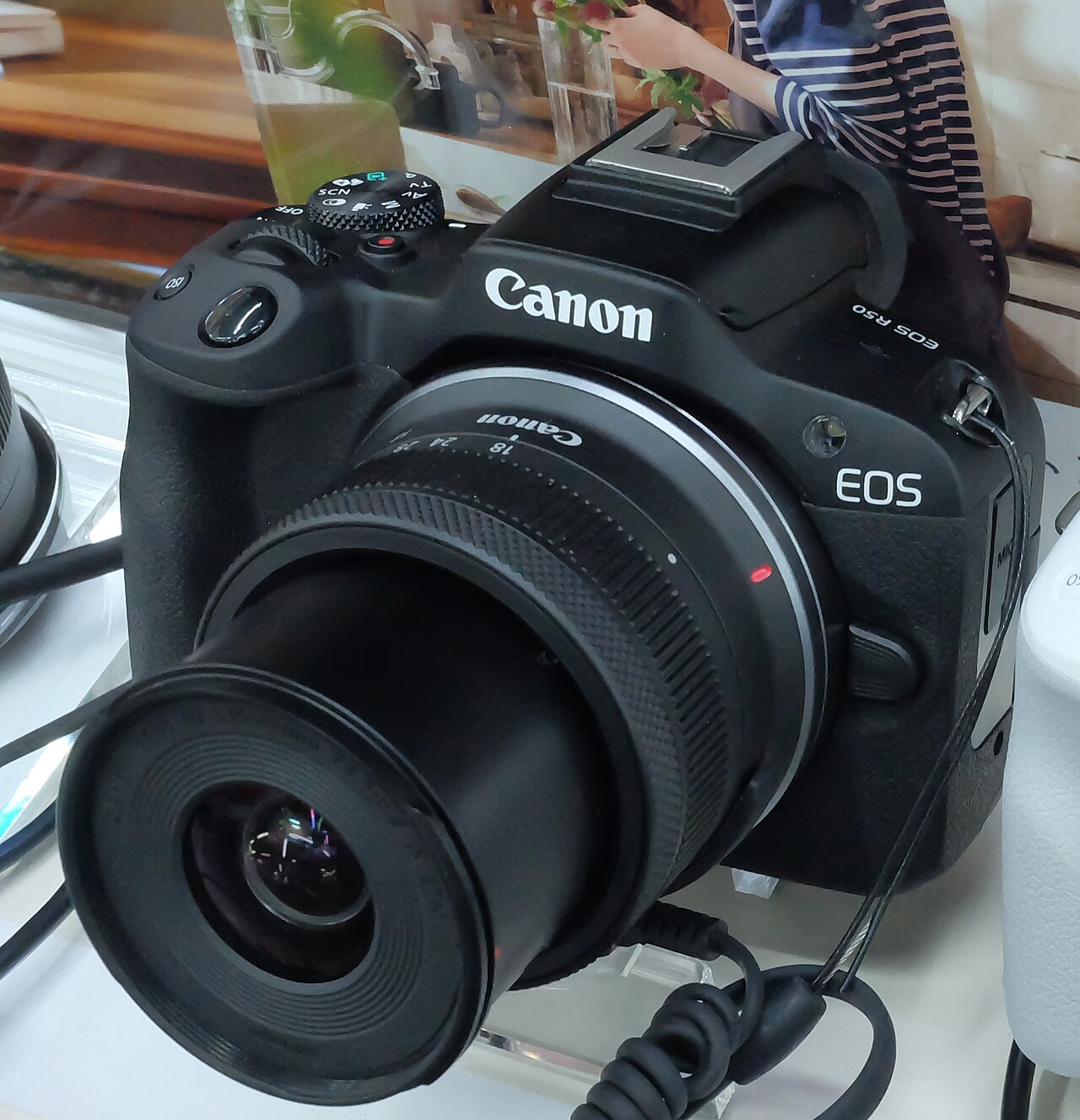
These full-frame cameras have similar headline still-photo resolution, but a different balance of body weight, stabilization and storage. EOS R8 lists about 461 g with battery and card; the original Z 5 lists about 675 g on the same basis. Nikon supplies sensor-shift stabilization and two card slots; Canon offers a vari-angle screen. This comparison concerns the original Z 5 rather than Z5II, and camera bodies rather than differently priced lens bundles.
Canon EOS R8 (body only)
A good fit if: A shortlist option for a lighter full-frame kit and a screen that can face the photographer.
The tradeoff: One memory-card slot and no sensor-shift IBIS may matter more than its lower body weight.
Nikon Z 5 (original body; not Z5II)
A good fit if: A shortlist option for two-card stills workflows or sensor-shift stabilization with suitable lenses.
The tradeoff: It is a heavier original-generation body; its 4K video tops out at 30p with a 1.7× crop.
As an Amazon Associate I earn from qualifying purchases. How shopping links work.
Canon EOS R8
View this model on Amazon : Canon EOS R8 (body only) (opens in a new tab)Check the seller, exact variant, price and included accessories.Nikon Z 5
View this model on Amazon : Nikon Z 5 (original body; not Z5II) (opens in a new tab)Check the seller, exact variant, price and included accessories.See the product photos and comparison illustration
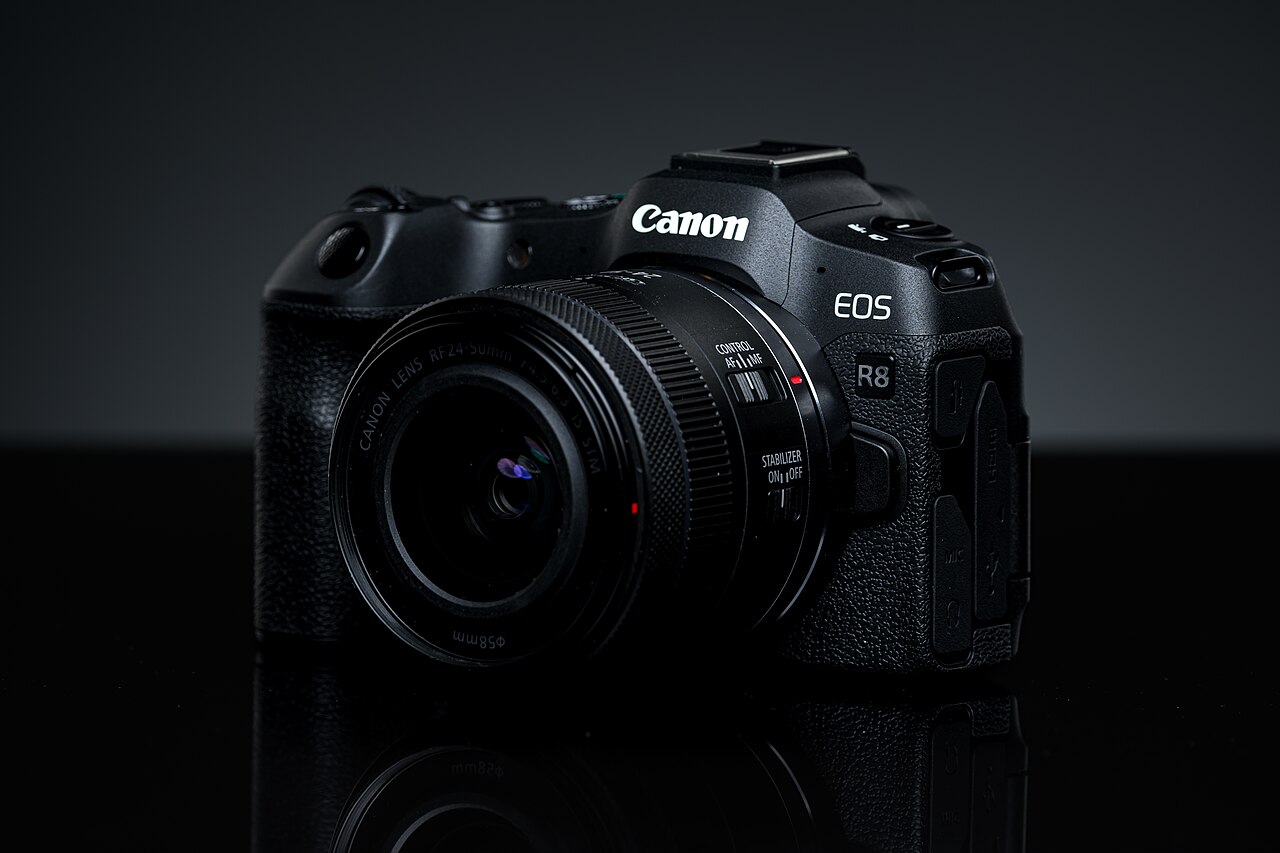
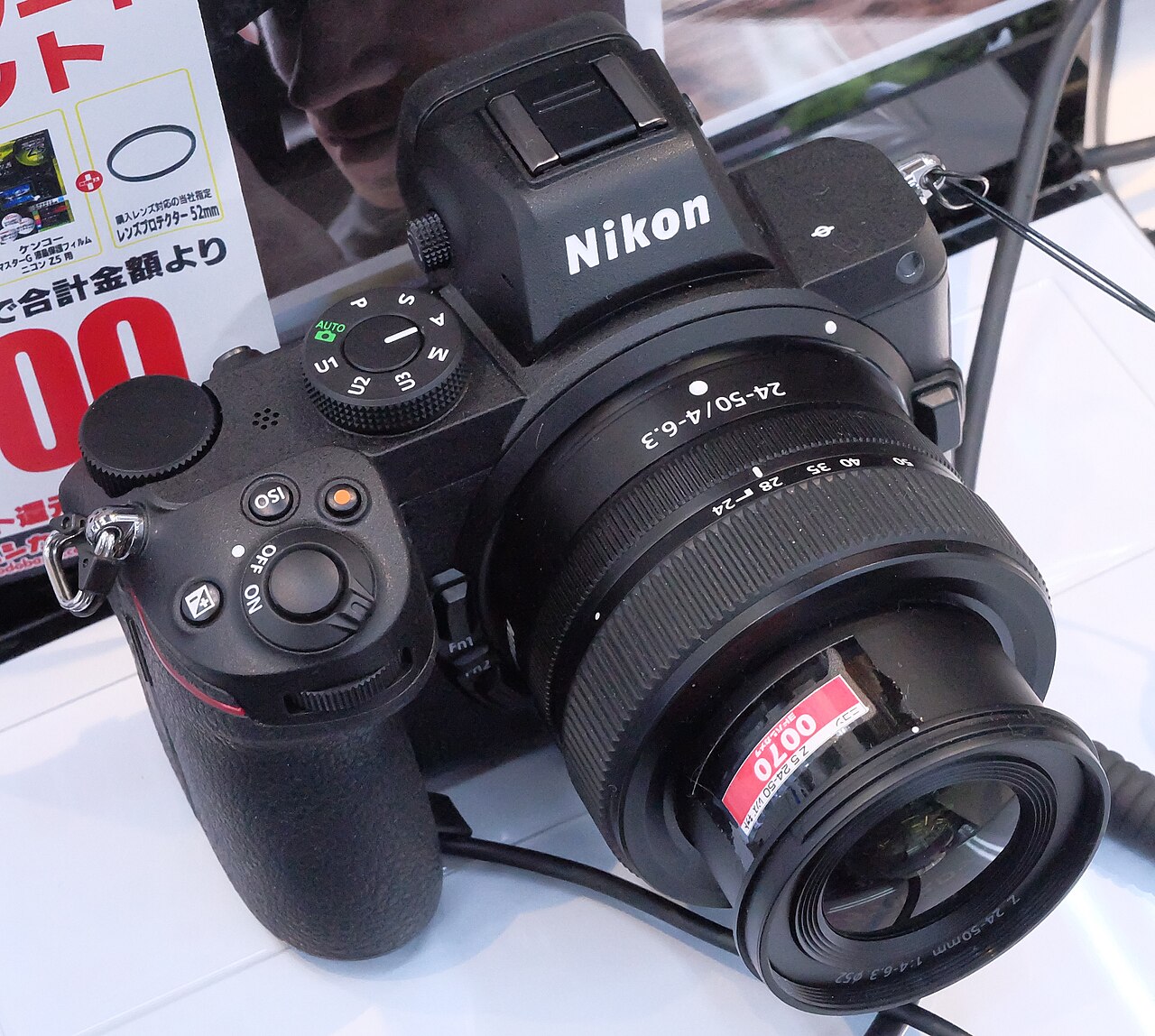
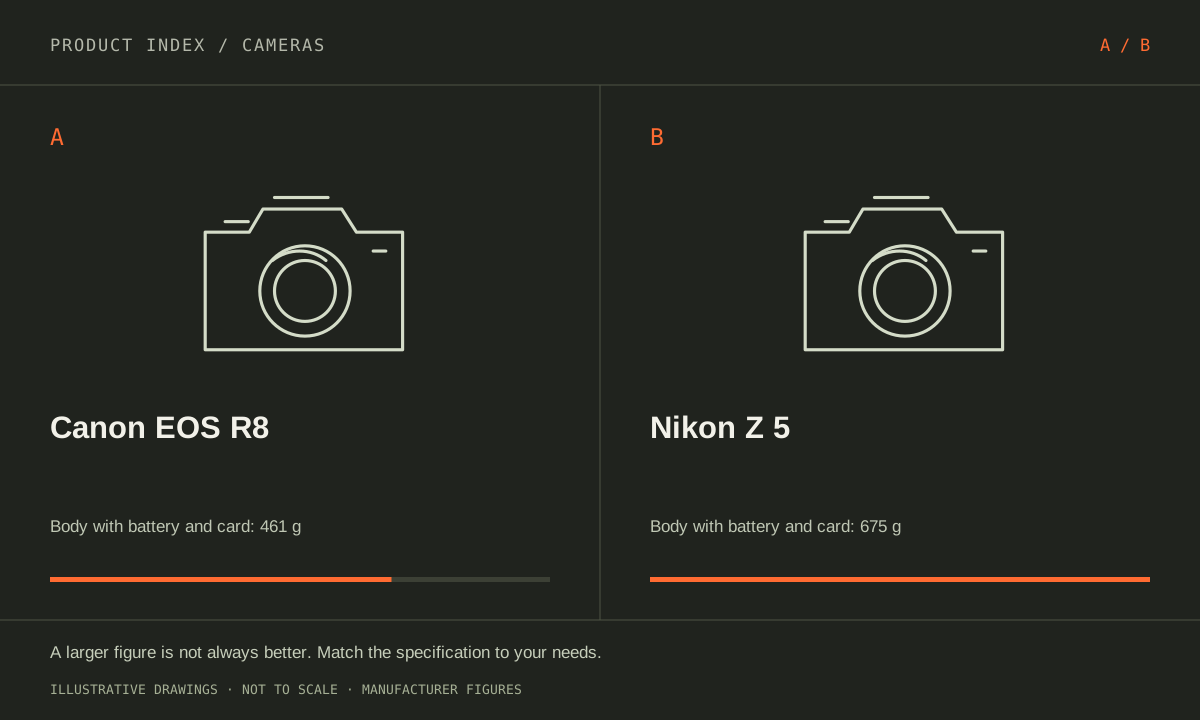
The facts, side by side.
Manufacturer specifications for the named models. On small screens, scroll the table sideways. A blank research field means the fact was not included here, not that the manufacturer does not publish it. Conditions and differently scoped specifications are kept separate.
| What matters | Canon EOS R8 [1] | Nikon Z 5 [2] |
|---|---|---|
| Effective resolution | Approximately 24.2 megapixels | 24.3 megapixels |
| Sensor format | Full frame | Full frame |
| Lens mount | Canon RF | Nikon Z |
| Stabilization | No sensor-shift IBIS; lens IS and Movie Digital IS options | 5-axis sensor-shift vibration reduction |
| Memory card slots | 1 × SD; UHS-II supported | 2 × SD; UHS-II supported |
| Screen | 3-inch vari-angle touchscreen | 3.2-inch tilting touchscreen |
| Weight with battery/card | Approximately 461 g | Approximately 675 g |
Listed maximums are manufacturer claims under their stated conditions, not results from our own testing. Regional versions and bundles can differ. No live prices or stock claims are shown.
Choose the lens kit before treating the body as the purchase
Canon lists approximately 24.2 effective megapixels and Nikon 24.3. That small difference is not a useful reason to predict a visible image-quality winner. Lens choice, framing, exposure and technique remain central. The RF and Z mounts commit the buyer to different native systems, so write down the lenses needed for your actual subjects before comparing a body-only offer.
Price and carry the complete planned kit: a general-purpose lens, any specialist lens, spare battery and necessary adapter. Existing lenses can affect the decision, but confirm adapter compatibility and restrictions for the exact lens instead of assuming an entire older mount behaves identically. For a first purchase, decide which focal lengths and apertures you can realistically buy and carry. A body advantage can become less important after the lens is attached.
Manufacturer references: Canon EOS R8 · Nikon Z 5
Stabilization and card slots address specific stills needs
Z 5 has five-axis sensor-shift vibration reduction. EOS R8 has no sensor-shift IBIS, although suitable lenses provide optical stabilization and Movie Digital IS is available for video. Stabilization can help with camera movement during a handheld exposure; it does not freeze a person, animal or vehicle that moves during the exposure. Choose a shutter speed around the subject as well as your grip.
Nikon’s two SD slots can support a backup or separated-file workflow; Canon has one UHS-II-compatible SD slot. Decide whether duplicate capture is a requirement for an unrepeatable assignment. Two slots still require correct configuration, suitable cards and a later backup process. For personal travel photographs, a single-slot body may fit the plan; for paid work, assess the whole reliability workflow before judging the purchase by weight alone.
Manufacturer references: Canon EOS R8 · Nikon Z 5
A facing screen and a lighter carry suit a different routine
R8’s vari-angle screen can face the person filming, while Z 5’s 3.2-inch screen tilts. If self-recording is common, test the intended camera position with a microphone and cables attached. A screen’s hinge description does not tell you whether your chosen bracket or accessory blocks it. For photography close to waist height, a tilting screen may be entirely adequate.
The 214 g listed body-weight difference is useful for a carry plan, without establishing comfort once lenses and straps are included. The original Z 5’s 4K mode tops out at 30p and uses an approximately 1.7× crop, which changes wide-angle framing. Check actual video modes before buying for that task. Favor Nikon for a defined two-card or stabilization requirement; favor Canon for a lighter full-frame body and the facing-screen workflow, subject to the complete lens decision.
Manufacturer references: Canon EOS R8 · Nikon Z 5
A CLOSER LOOK AT OWNERSHIP
Beyond the specification sheet.
Additional model-specific document research checked October 20, 2026. The original comparison’s specification check date remains shown above.
Check the complete setup before ordering
R8 accepts RF-S lenses and supported adapted EF-S lenses, but Canon automatically applies a 1.6× crop with them; full-frame capture cannot be selected. Reusing an APS-C lens is therefore not the same as obtaining the full sensor area. Budget an appropriate full-frame lens if that is the reason for choosing R8.
For the original Nikon Z 5, decide how the two card slots should behave. Nikon documents overflow as the default, so merely inserting two cards does not establish your intended duplicate-recording workflow. Verify the menu setting and retrieve sample files before relying on the arrangement for an important assignment.
Sources: Canon EOS R8 — manufacturer model information; no independent performance test (opens in a new tab) · Canon maintenance services — available service types, not a repair-price promise (opens in a new tab) · Canon R8 manual — automatic 1.6× crop with RF-S or adapted EF-S lenses (opens in a new tab) · Nikon Z 5 — manufacturer model information; no independent performance test (opens in a new tab) · Nikon Z 5 manual — second-slot default and storage setup (opens in a new tab)
Price the equipment you will actually use
An R8 budget needs the lens or lenses you will carry, suitable cards, spare power, and any support or audio equipment. Compare equivalent subject coverage against the other system. Include a possible change in bag size and lens weight; the body’s low weight does not describe the complete kit.
Price Z 5 with the Z-mount lens or verified adapter arrangement you need, appropriate cards for both slots if used, and spare power. Compare complete lens kits rather than assuming a discounted full-frame body is the cheapest system. Include an import, backup, and editing workflow for the files you plan to make.
Sources: Canon EOS R8 — manufacturer model information; no independent performance test (opens in a new tab) · Canon maintenance services — available service types, not a repair-price promise (opens in a new tab) · Canon R8 manual — automatic 1.6× crop with RF-S or adapted EF-S lenses (opens in a new tab) · Nikon Z 5 — manufacturer model information; no independent performance test (opens in a new tab) · Nikon Z 5 manual — second-slot default and storage setup (opens in a new tab)
Plan care, parts, and the service route
Ask Canon about the R8 service route, regional coverage, and any current notices for the exact serial number. If long sessions matter, conduct a realistic acceptance test with your chosen mode and power source. Confirm seller returns before that trial; documentation alone does not establish endurance in your environment.
Confirm original Z 5 service and firmware support rather than using Z5II material. Ask Nikon about regional warranty eligibility, approved batteries, and lens-adapter restrictions. For used equipment, test both card slots, the mount, stabilization behavior, and charging arrangement within the agreed inspection period.
Sources: Canon EOS R8 — manufacturer model information; no independent performance test (opens in a new tab) · Canon maintenance services — available service types, not a repair-price promise (opens in a new tab) · Canon R8 manual — automatic 1.6× crop with RF-S or adapted EF-S lenses (opens in a new tab) · Nikon Z 5 — manufacturer model information; no independent performance test (opens in a new tab) · Nikon Z 5 manual — second-slot default and storage setup (opens in a new tab)
What rules each option out—and when to keep what you own
Choose a full-frame system around the work it must protect. Nikon Z5 offers two card slots, but its default second-slot behavior is overflow rather than automatic duplication. Rule out a proposed setup if it cannot implement your needed recording redundancy. For either camera, verify the intended lens and video mode instead of letting sensor size settle the decision.
Keep a working smaller-sensor system if the expected improvement has no defined use. Full-frame ownership includes lenses, carrying weight, cards, and backup storage. Compare Canon and Nikon with the lens you will actually use, and include a method for transferring and backing up files after each session regardless of the number of slots in the camera.
Sources: Canon EOS R8 — manufacturer model information; no independent performance test (opens in a new tab) · Canon maintenance services — available service types, not a repair-price promise (opens in a new tab) · Canon R8 manual — automatic 1.6× crop with RF-S or adapted EF-S lenses (opens in a new tab) · Nikon Z 5 — manufacturer model information; no independent performance test (opens in a new tab) · Nikon Z 5 manual — second-slot default and storage setup (opens in a new tab)
THE REST OF THE BUYING DECISION
Think beyond the upgrade.
A camera purchase includes a lens system, a way to capture sound, a storage workflow, and equipment you must be willing to carry. Begin with the shots your current kit cannot reliably deliver. This guide uses official Canon documentation for concrete examples while keeping the decision process applicable across brands. Specifications do not substitute for our own image-quality, autofocus, or endurance testing, which we do not claim here.
The cameras field guide covers the broader ownership questions, with source-specific examples. It complements this exact-model comparison; its examples do not establish features or policies for every model here.
MAKE IT YOUR DECISION
Your before-you-buy checklist.
Use this as a final check, alongside the model-specific evidence above.
Check off the questions you have resolved. Nothing is sent to a server.
Before you place the order.
- Match the full model name and generation. A similarly named bundle may have different accessories.
- Confirm the total price, seller, warranty eligibility, delivery estimate, and return terms at checkout.
- Account for any accessories or compatible equipment your setup needs. An upgrade only has value if you will use it.
Your product questions, answered.
Does Nikon’s stabilization freeze moving subjects?
No. Sensor-shift stabilization addresses camera shake; subject movement still requires appropriate shutter speed or lighting.
Is this Nikon Z5II?
No. It is the original Z 5. The later Z5II has a different feature set and must not be substituted in the table.
Does Z5 automatically make two copies of every image?
No. Nikon documents overflow as the default second-slot role. Configure and verify the desired supported behavior before a session where redundancy matters.
Sources: Canon EOS R8 — manufacturer model information; no independent performance test (opens in a new tab) · Canon maintenance services — available service types, not a repair-price promise (opens in a new tab) · Canon R8 manual — automatic 1.6× crop with RF-S or adapted EF-S lenses (opens in a new tab) · Nikon Z 5 — manufacturer model information; no independent performance test (opens in a new tab) · Nikon Z 5 manual — second-slot default and storage setup (opens in a new tab)
Does full frame guarantee better everyday pictures?
No. Lens choice, exposure, lighting, focus, and technique still matter. Define the improvement you need and compare a complete system instead of purchasing sensor size alone.
Sources: Canon EOS R8 — manufacturer model information; no independent performance test (opens in a new tab) · Canon maintenance services — available service types, not a repair-price promise (opens in a new tab) · Canon R8 manual — automatic 1.6× crop with RF-S or adapted EF-S lenses (opens in a new tab) · Nikon Z 5 — manufacturer model information; no independent performance test (opens in a new tab) · Nikon Z 5 manual — second-slot default and storage setup (opens in a new tab)
What should an event photographer verify?
Check recording redundancy, power endurance, lens suitability, and the actual workflow for delivering and backing up files. A camera purchase does not replace an operational backup plan.
Sources: Canon EOS R8 — manufacturer model information; no independent performance test (opens in a new tab) · Canon maintenance services — available service types, not a repair-price promise (opens in a new tab) · Canon R8 manual — automatic 1.6× crop with RF-S or adapted EF-S lenses (opens in a new tab) · Nikon Z 5 — manufacturer model information; no independent performance test (opens in a new tab) · Nikon Z 5 manual — second-slot default and storage setup (opens in a new tab)
What is the hidden switching cost?
Lenses, adapters where appropriate, batteries, cards, carrying equipment, and time learning controls can all change the total. Obtain a complete quote for the specific Canon or Nikon setup.
Sources: Canon EOS R8 — manufacturer model information; no independent performance test (opens in a new tab) · Canon maintenance services — available service types, not a repair-price promise (opens in a new tab) · Canon R8 manual — automatic 1.6× crop with RF-S or adapted EF-S lenses (opens in a new tab) · Nikon Z 5 — manufacturer model information; no independent performance test (opens in a new tab) · Nikon Z 5 manual — second-slot default and storage setup (opens in a new tab)
Sources & limitations.
Original comparison research: October 18, 2026. Individual product-source checks and ownership additions carry their own dates. These links identify the manufacturer evidence used for the specifications. Recommendations and practical implications are our editorial judgments. We have not measured performance, reliability, comfort, or long-term ownership for this comparison.
- Canon EOS R8 (body only) — manufacturer specifications (opens in a new tab)
Checked October 18, 2026. - Nikon Z 5 (original body; not Z5II) — manufacturer specifications (opens in a new tab)
Nikon Z 5 launch details and 4K crop (opens in a new tab)
Nikon Z 5 official manual specifications (opens in a new tab)
Checked October 18, 2026.
Confirm current specifications for your region and exact bundle. Read our research and correction approach.