THE DIFFERENCES THAT MATTER
Breville Barista Pro vs Touch: who should pay for automatic milk?
Both list ThermoJet heating and 30 grinder settings. The important decision is manual milk control versus a touchscreen and saved drink preferences.
Researched from manufacturer sources. These products have not been hands-on tested for this article.
START HERE
Is milk preparation the step you want the machine to take over?
The Barista Touch BES880 earns its place on a shortlist through automatic milk texturing and its drink interface. The Pro BES878 already has the same published grinder-setting count and three-second ThermoJet heating claim. If your usual drink is straight espresso, the difference may matter less than it does in a household making several types of latte.
Breville Barista Pro BES878
A good fit if: For an espresso learner who wants fast heater startup and a screen while keeping manual milk control.
The tradeoff: The faster heater does not automate puck preparation or milk texturing.
Breville Barista Touch BES880
A good fit if: For milk-drink households that want saved drink settings and automatic milk texturing.
The tradeoff: You still prepare the portafilter, tamp, move it, and clean the machine.
As an Amazon Associate I earn from qualifying purchases. How shopping links work.
Barista Pro
View this model on Amazon : Breville Barista Pro BES878 (opens in a new tab)Check the seller, exact variant, price and included accessories.Barista Touch
View this model on Amazon : Breville Barista Touch BES880 (opens in a new tab)Check the seller, exact variant, price and included accessories.See the product photos and comparison illustration
The facts, side by side.
Manufacturer specifications for the named models. On small screens, scroll the table sideways. A blank research field means the fact was not included here, not that the manufacturer does not publish it. Conditions and differently scoped specifications are kept separate.
| What matters | Barista Pro [1] | Barista Touch [2] |
|---|---|---|
| Model | BES878 | BES880 |
| Grind settings | 30 | 30 |
| Heating | ThermoJet; manufacturer claims 3-second heat-up | ThermoJet; manufacturer claims 3-second heat-up |
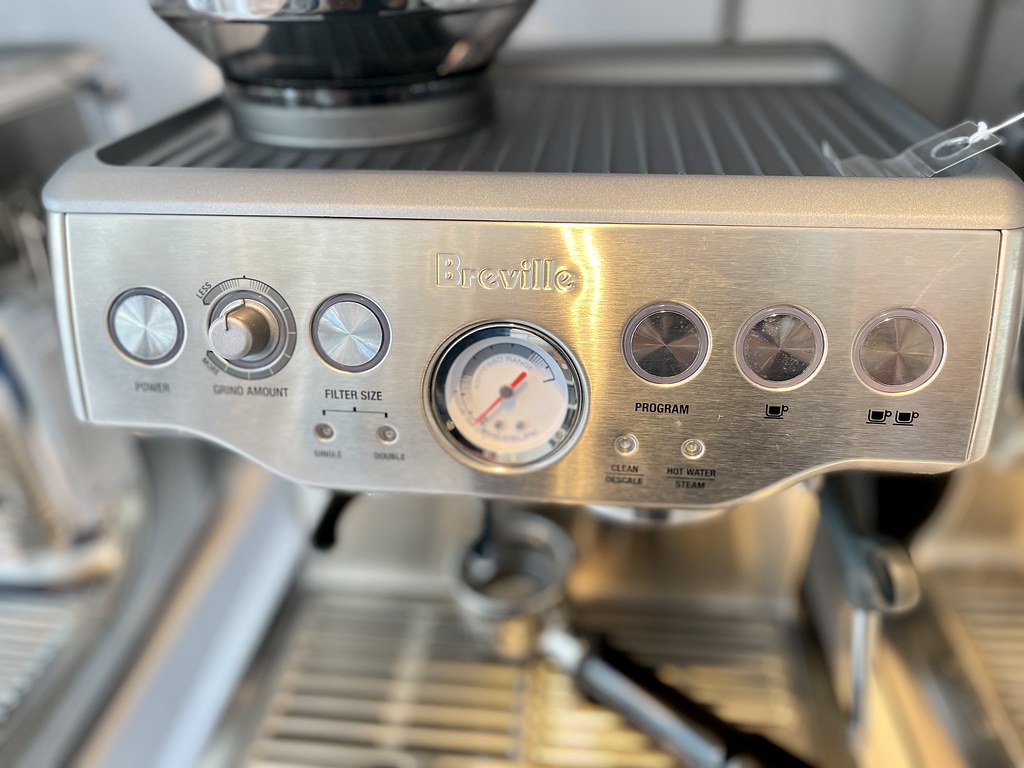
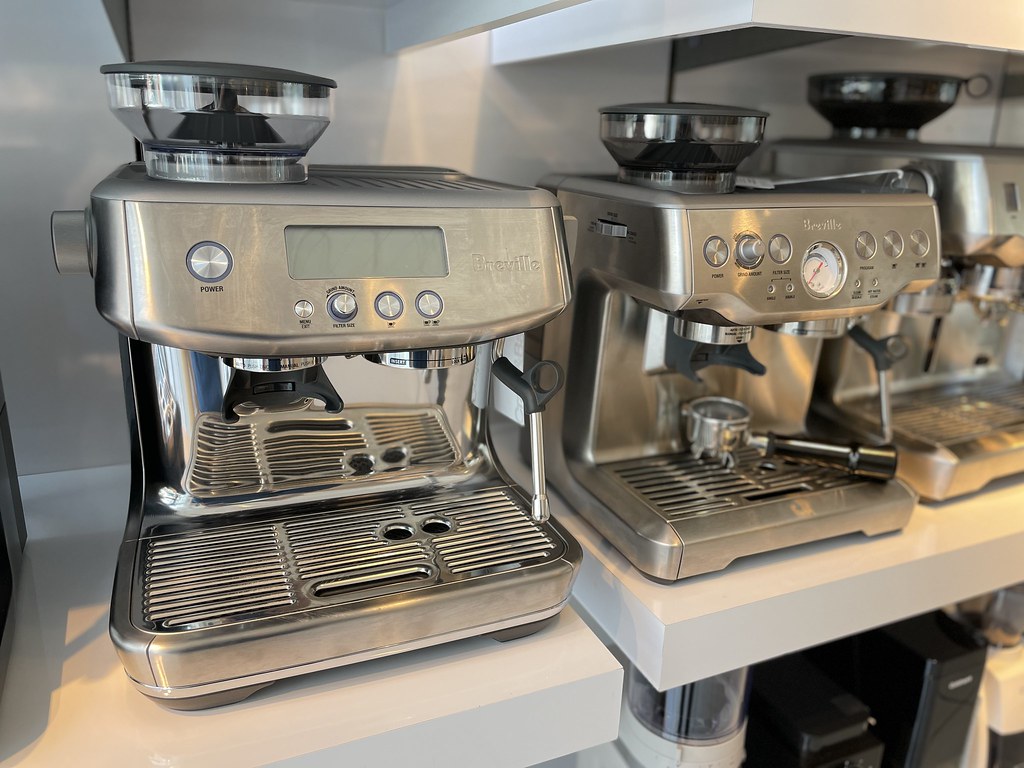
| Milk texturing | Manual steam wand | Automatic temperature and texture; manual option |
| Interface | LCD and physical controls | Touchscreen; up to 8 personalized coffees |
| Extraction | Low-pressure pre-infusion; 9-bar extraction | Low-pressure pre-infusion; 9-bar extraction |
Listed maximums are manufacturer claims under their stated conditions, not results from our own testing. Regional versions and bundles can differ. No live prices or stock claims are shown.
The milk workflow is the clearest reason to change models
The Pro asks you to texture milk manually. The Touch offers automatic milk temperature and texture control, with a manual option when you want to take over. Breville lists an adjustable temperature range of 104°F to 167°F and eight texture levels for the Touch. Those are controls you can select, rather than evidence that every milk or alternative milk produces identical results. Our recommendation is about who handles this part of preparation, not an untested claim about foam quality.
Someone who enjoys practicing a steam-wand technique may prefer to keep doing it on the Pro. Someone who finds milk preparation the most demanding daily step has a clearer reason to consider the Touch. You still need to place the pitcher correctly, follow the instructions, and clean after use. Automatic texturing can simplify a task without removing the care associated with milk, and that distinction matters if convenience is the main reason you are considering the purchase.
Manufacturer references: Barista Pro · Barista Touch
Saved preferences are useful when several people make coffee
The Touch has a touchscreen coffee menu and can save up to eight personalized coffees. That gives a household a place to keep different preferred drink settings. The Pro’s LCD presents information through a more conventional control layout. Consider whether you would genuinely use saved profiles: one person making the same espresso every morning has a different need from two people alternating between milky drinks with different temperature and texture preferences.
A saved drink does not make the entire process automatic. These machines still involve a portafilter and separate preparation steps, rather than a fully enclosed bean-to-cup routine. The Touch helps organize choices and milk settings, while you remain responsible for the coffee going into the basket and the cleanliness of the machine. If your goal is minimal intervention from bean to finished drink, read the operating sequence carefully before assuming that the touchscreen provides that result.
Manufacturer references: Barista Pro · Barista Touch
Do not buy the Touch just for the shared specifications
Both cited models list 30 grinder settings, ThermoJet heating with a three-second temperature-readiness claim, and low-pressure pre-infusion followed by nine-bar extraction. Those similarities make a simple higher-model-is-better argument unhelpful. The shared specification is not proof of identical espresso taste, but it also gives no basis for promising that the Touch automatically produces better espresso. Its visible advantages concern interaction and milk assistance, so attach your buying decision to those advantages.
We would shortlist the Pro for a person who wants its heater and grinder features but enjoys manual milk work. We would shortlist the Touch for a household that will repeatedly use saved drink choices and automatic texturing. Compare the live seller price, exact model number, and included accessories only after settling that preference. Paying more is easiest to justify when the extra feature removes a problem you encounter every day, rather than a problem imagined while shopping.
Manufacturer references: Barista Pro · Barista Touch
A CLOSER LOOK AT OWNERSHIP
Beyond the specification sheet.
Additional model-specific document research checked October 20, 2026. The original comparison’s specification check date remains shown above.
Set up the version you are actually buying
Place the Barista Pro where the hopper, water tank and drip tray remain accessible during use. Its fast heater does not make the counter workflow disappear: you still prepare and transfer the portafilter and handle the milk jug. Before buying for a shared kitchen, walk through the grind, tamp, brew and steam sequence with the person who wants the simplest morning.
Automatic milk on the BES880 depends on positioning: its manual places the jug on the temperature sensor in the drip tray, with the steam wand fully lowered and milk covering the ring around the tip. This is useful assistance for a shared kitchen, but the user still fills and positions the jug. Milk brands and alternatives may need different texture settings; saved preferences do not make their behavior identical.
Sources: Breville Barista Pro BES878 — official model information (opens in a new tab) · Breville Barista Touch BES880 — official model information (opens in a new tab) · Breville water and hardness guidance (opens in a new tab) · Breville BES880 — US milk sensor, filter and cleaning instructions (opens in a new tab)
Price the useful package and recurring supplies
Treat the integrated grinder as part of the machine you are buying, rather than adding a separate grinder automatically. Budget for compatible cleaning products, water filtration where specified, and replacement wear parts by BES878 model number. A second grinder becomes a separate decision when changing beans or brew methods is a recurring need; the machine alone does not establish that need.
The BES880 instruction book includes a milk jug, cleaning disc and tablets, and both single-wall and dual-wall baskets; it assigns the dual-wall baskets to pre-ground coffee. Occasional pre-ground decaf therefore has a documented route without a second grinder. This manual recommends replacing its water filter after three months. Use the instructions supplied with the exact filter and machine rather than importing the Pro’s different documented interval.
Sources: Breville Barista Pro BES878 — official model information (opens in a new tab) · Breville water and hardness guidance (opens in a new tab) · Breville espresso maintenance — general guidance; use the model procedure (opens in a new tab) · Breville US warranty terms (opens in a new tab) · Breville direct-store return policy (opens in a new tab) · Breville Barista Touch BES880 — official model information (opens in a new tab) · Breville BES880 — US milk sensor, filter and cleaning instructions (opens in a new tab)
Understand maintenance, repair and service scope
For Barista Pro: Breville separates coffee-path cleaning, descaling, grinder care and milk-wand care. Use the exact model procedure rather than copying a cycle from another machine. Our ownership recommendation is to check whether the daily milk cleanup and occasional longer maintenance fit your schedule before paying for more automation; the touchscreen or heater does not perform all those jobs for you.
For Barista Touch: Breville’s US warranty process asks for model/batch or serial identification and a sales receipt. For an eligible service or replacement claim, it supplies a prepaid shipping label. This differs from a change-of-mind return: the direct-store policy allows eligible appliances within 30 days of receipt only in brand-new condition with original packaging and accessories, and excludes parts/accessory refunds. A retailer purchase follows that retailer’s return process.
Sources: Breville Barista Pro BES878 — official model information (opens in a new tab) · Breville water and hardness guidance (opens in a new tab) · Breville espresso maintenance — general guidance; use the model procedure (opens in a new tab) · Breville US warranty terms (opens in a new tab) · Breville direct-store return policy (opens in a new tab) · Breville Barista Touch BES880 — official model information (opens in a new tab) · Breville BES880 — US milk sensor, filter and cleaning instructions (opens in a new tab)
What rules one out—and when to keep what you own
Rule out the Pro when automatic milk texture and saved drink navigation are essential to the household. Rule out the Touch when the touch interface adds cost without reducing a task you dislike. Neither is the documented answer for someone who wants to avoid handling and tamping a portafilter altogether.
Keep a working Pro if manual steaming is already comfortable and drinks are repeatable. Consider Touch when another regular user specifically needs the guided interface or milk automation. We cannot establish a taste improvement from the screen change; ask to see the complete preparation and cleanup sequence before deciding that the experience is substantially easier.
Sources: Breville Barista Pro BES878 — official model information (opens in a new tab) · Breville water and hardness guidance (opens in a new tab) · Breville espresso maintenance — general guidance; use the model procedure (opens in a new tab) · Breville US warranty terms (opens in a new tab) · Breville direct-store return policy (opens in a new tab) · Breville Barista Touch BES880 — official model information (opens in a new tab) · Breville BES880 — US milk sensor, filter and cleaning instructions (opens in a new tab)
THE REST OF THE BUYING DECISION
Think beyond the upgrade.
Start with the drink, the number of people and the amount of work you want to do. This guide turns manufacturer instructions into practical buying questions for espresso machines, grinders and filter brewers. Our recommendations are editorial judgments from documentation; we have not measured taste, reliability or speed in a test kitchen.
The espresso & coffee field guide covers the broader ownership questions, with source-specific examples. It complements this exact-model comparison; its examples do not establish features or policies for every model here.
MAKE IT YOUR DECISION
Your before-you-buy checklist.
Use this as a final check, alongside the model-specific evidence above.
Check off the questions you have resolved. Nothing is sent to a server.
Before you place the order.
- Match the full model name and generation. A similarly named bundle may have different accessories.
- Confirm the total price, seller, warranty eligibility, delivery estimate, and return terms at checkout.
- Account for any accessories or compatible equipment your setup needs. An upgrade only has value if you will use it.
Your product questions, answered.
Can the Touch be used for manual milk texturing?
Yes. Breville describes automatic milk texturing and a hands-on manual option for this BES880 model.
Does the Touch have more grinder settings than the Pro?
The current official US pages list 30 settings for both models.
Does Touch remove manual puck preparation?
No. The documented BES880 still involves portafilter preparation and handling. Do not confuse its milk automation with the different preparation system of Touch Impress.
Sources: Breville Barista Pro BES878 — official model information (opens in a new tab) · Breville water and hardness guidance (opens in a new tab) · Breville espresso maintenance — general guidance; use the model procedure (opens in a new tab) · Breville US warranty terms (opens in a new tab) · Breville direct-store return policy (opens in a new tab) · Breville Barista Touch BES880 — official model information (opens in a new tab) · Breville BES880 — US milk sensor, filter and cleaning instructions (opens in a new tab)
Is Pro obsolete if I make milk drinks?
No. It remains a manual-milk option. The useful distinction is whether you want to learn and repeat steaming or want the documented automatic texture assistance.
Sources: Breville Barista Pro BES878 — official model information (opens in a new tab) · Breville water and hardness guidance (opens in a new tab) · Breville espresso maintenance — general guidance; use the model procedure (opens in a new tab) · Breville US warranty terms (opens in a new tab) · Breville direct-store return policy (opens in a new tab) · Breville Barista Touch BES880 — official model information (opens in a new tab) · Breville BES880 — US milk sensor, filter and cleaning instructions (opens in a new tab)
How should two people evaluate the Touch interface?
Have each person walk through their normal drink, including preparing the portafilter and cleaning the jug. Saved preferences matter most when they remove a repeated adjustment that the Pro user would otherwise make manually.
Sources: Breville Barista Pro BES878 — official model information (opens in a new tab) · Breville water and hardness guidance (opens in a new tab) · Breville espresso maintenance — general guidance; use the model procedure (opens in a new tab) · Breville US warranty terms (opens in a new tab) · Breville direct-store return policy (opens in a new tab) · Breville Barista Touch BES880 — official model information (opens in a new tab) · Breville BES880 — US milk sensor, filter and cleaning instructions (opens in a new tab)
What would justify keeping a separate grinder with either machine?
A second brewing method or a deliberate bean-switching routine could justify it. Name that task first, then check whether an additional grinder actually simplifies the station rather than duplicating the included grinder.
Sources: Breville Barista Pro BES878 — official model information (opens in a new tab) · Breville water and hardness guidance (opens in a new tab) · Breville espresso maintenance — general guidance; use the model procedure (opens in a new tab) · Breville US warranty terms (opens in a new tab) · Breville direct-store return policy (opens in a new tab) · Breville Barista Touch BES880 — official model information (opens in a new tab) · Breville BES880 — US milk sensor, filter and cleaning instructions (opens in a new tab)
Sources & limitations.
Original comparison research: October 18, 2026. Individual product-source checks and ownership additions carry their own dates. These links identify the manufacturer evidence used for the specifications. Recommendations and practical implications are our editorial judgments. We have not measured performance, reliability, comfort, or long-term ownership for this comparison.
- Breville Barista Pro BES878 — manufacturer specifications (opens in a new tab)
Checked October 18, 2026. - Breville Barista Touch BES880 — manufacturer specifications (opens in a new tab)
Checked October 18, 2026.
Confirm current specifications for your region and exact bundle. Read our research and correction approach.